Okay so — I built this Windows desktop app called Incident Management.
Not because I had free time. Because every incident felt like the same circus: spreadsheet here, Velociraptor there, Slack thread somewhere else, and someone asking “what’s the status?” while I’m still trying to figure out which host is actually bad.
I wanted one place. NIST phases on one side. Velociraptor doing real endpoint work on the other. That’s basically it.
Why I even bothered
NIST SP 800-61 is fine. Velociraptor is great. But they don’t talk to each other out of the box.
So I glued them together into a desktop app. You open a case, it seeds NIST tasks for you, you pull artifacts from endpoints, review findings, turn stuff into IOCs, hunt the fleet, isolate hosts, clean up, hand the case off. All in one window.
If you’ve ever closed an incident ticket that wasn’t actually done — yeah, me too. So the app won’t let you close a case if flagged findings are still sitting there or NIST tasks aren’t finished. Annoying on purpose.
What’s under the hood (quick version)
React + TypeScript on the front. Go on the back. Wails wraps it so it feels like a normal Windows app. Cases live in PostgreSQL. Endpoint stuff goes through Velociraptor via the usual api_client YAML config.
Nothing exotic. Just stuff that works when you’re tired at 2am.
Dashboard — “what’s on fire?”
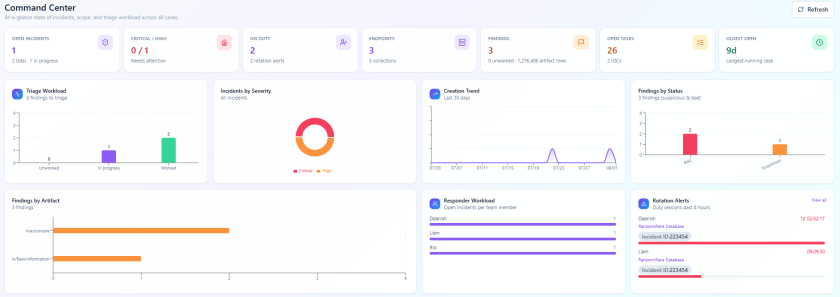
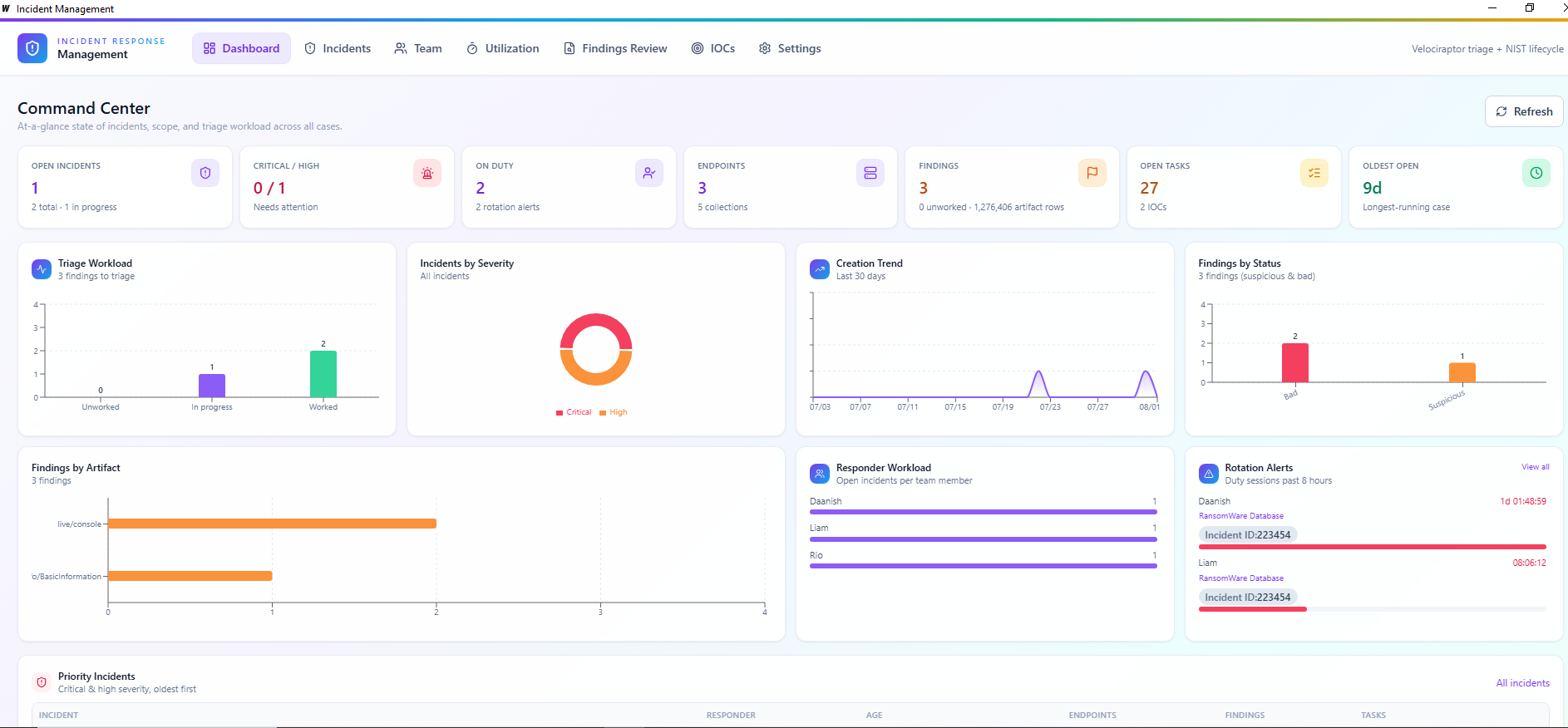
First screen you see. I just wanted to know what’s going on without opening ten cases.
- Open / in-progress / closed incidents, plus critical & high counts
- How old is the oldest open case (always fun)
- Endpoints, collections, IOCs, open tasks
- Findings that still need work
- Charts — severity, status, trends, who’s carrying the load
- Priority incidents + recent collections
- Duty alerts — including “someone’s been on 8 hours, rotate them”
Incidents
Create a case, set severity, pick a lead, write a summary. Hit “start investigation” and it auto-seeds the NIST phases and default tasks. No manual setup every time.
Inside a case — Overview tab
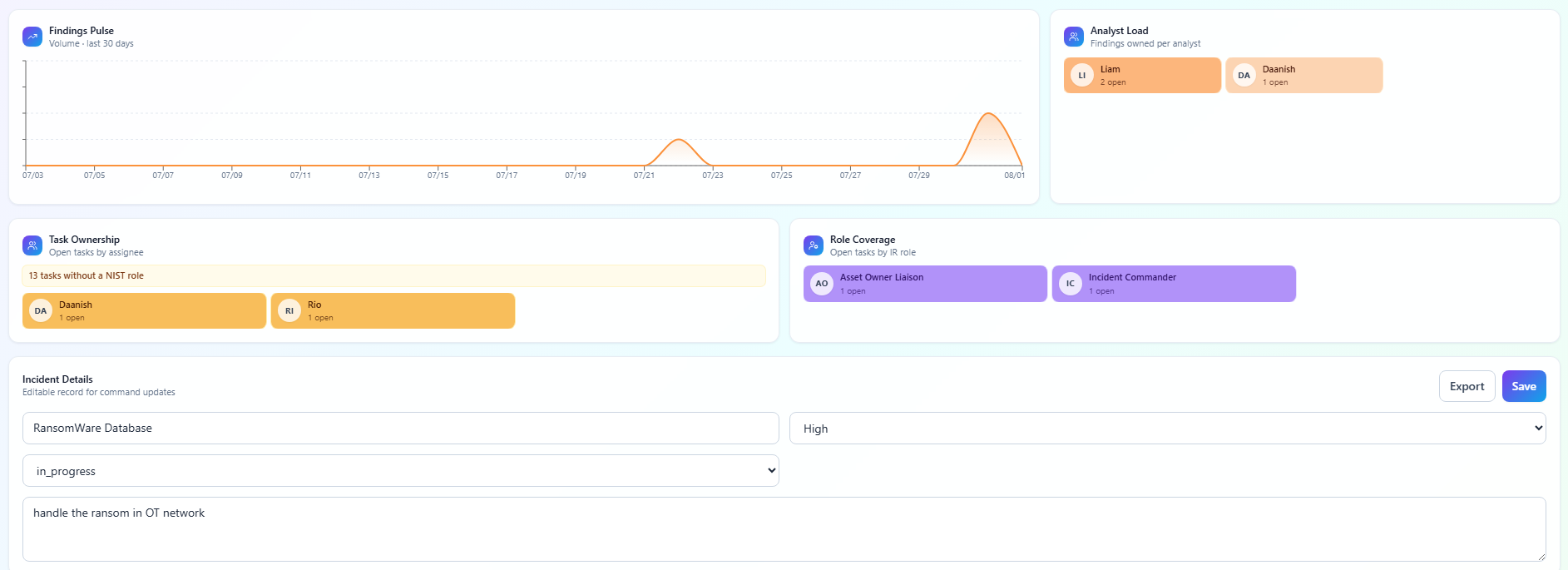
This is where I live during an active incident. Situation brief, readiness score, NIST phase progress, endpoint threat board, IOC blast-radius view, triage panel, response queue, who’s working what, findings trend, duty check-in/out, and JSON export when you need to hand off.
Basically the “status?” answer in one screen.


NIST tasks — yes, task boards
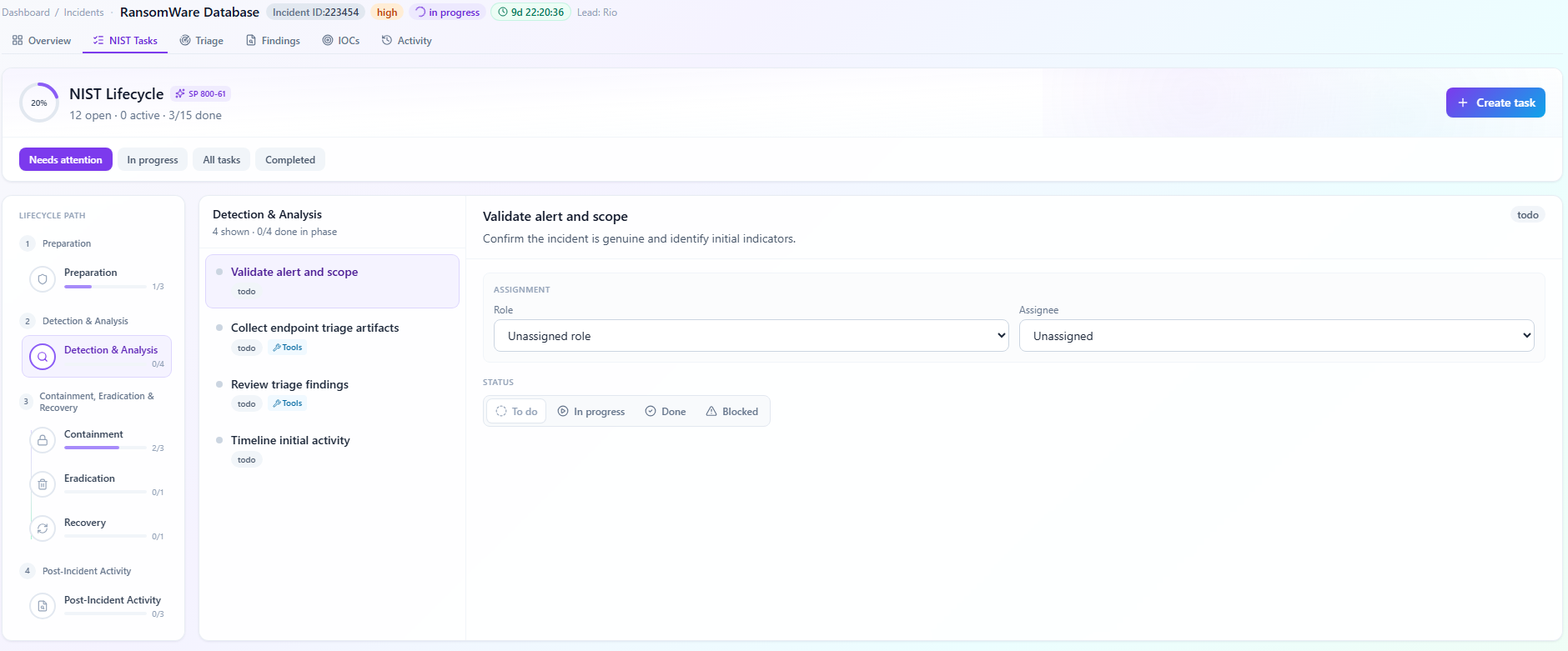
I know, task boards. Boring. But during IR if you don’t track this stuff it vanishes into Slack forever.
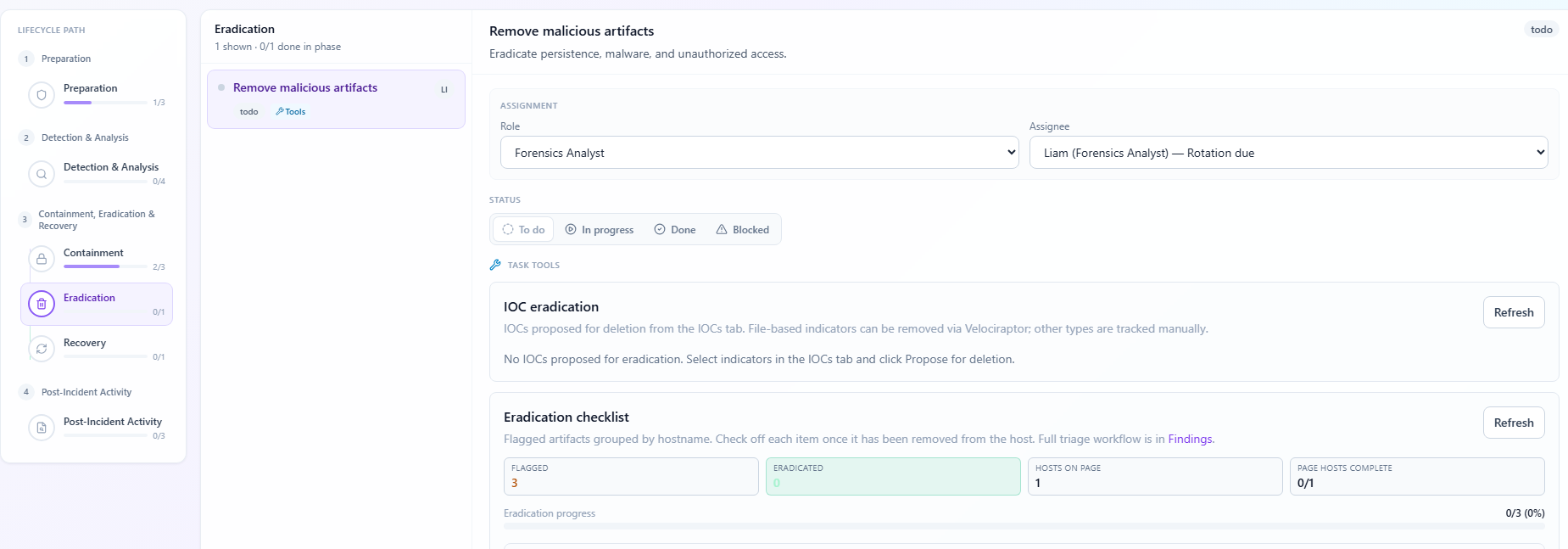
Tasks grouped by NIST phase. Todo / in progress / done / blocked. Assignee, role, due date, handle time. Some tasks open guided panels — not just a checkbox, but actual next steps like assign roles, collect artifacts, review findings, isolate hosts, eradicate IOCs, restore and verify.
Triage with Velociraptor
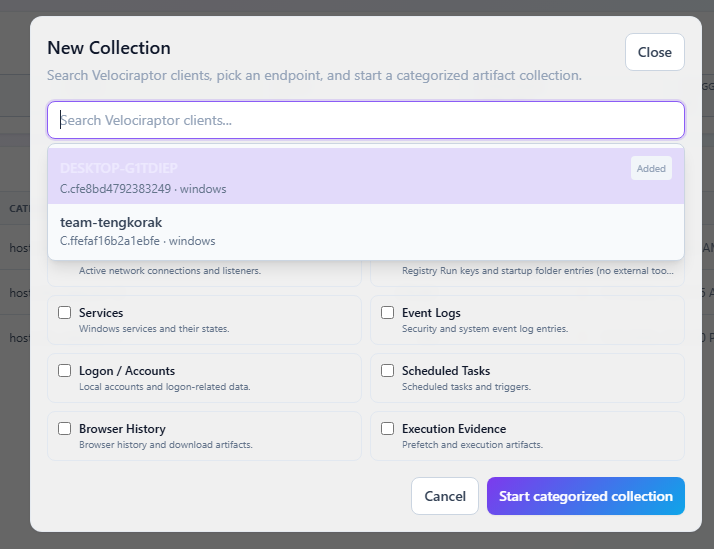
This is the fun part. Search Velo clients, add hosts to the case, kick off categorized collections. Cyber Triage-style categories — processes, network, persistence, services, event logs, logon, scheduled tasks, browser history, prefetch, host info. Collections run in background, you ingest results into the case.
Network collections also feed a little network map so you’re not staring at 4,000 netstat rows.

Live remote forensics
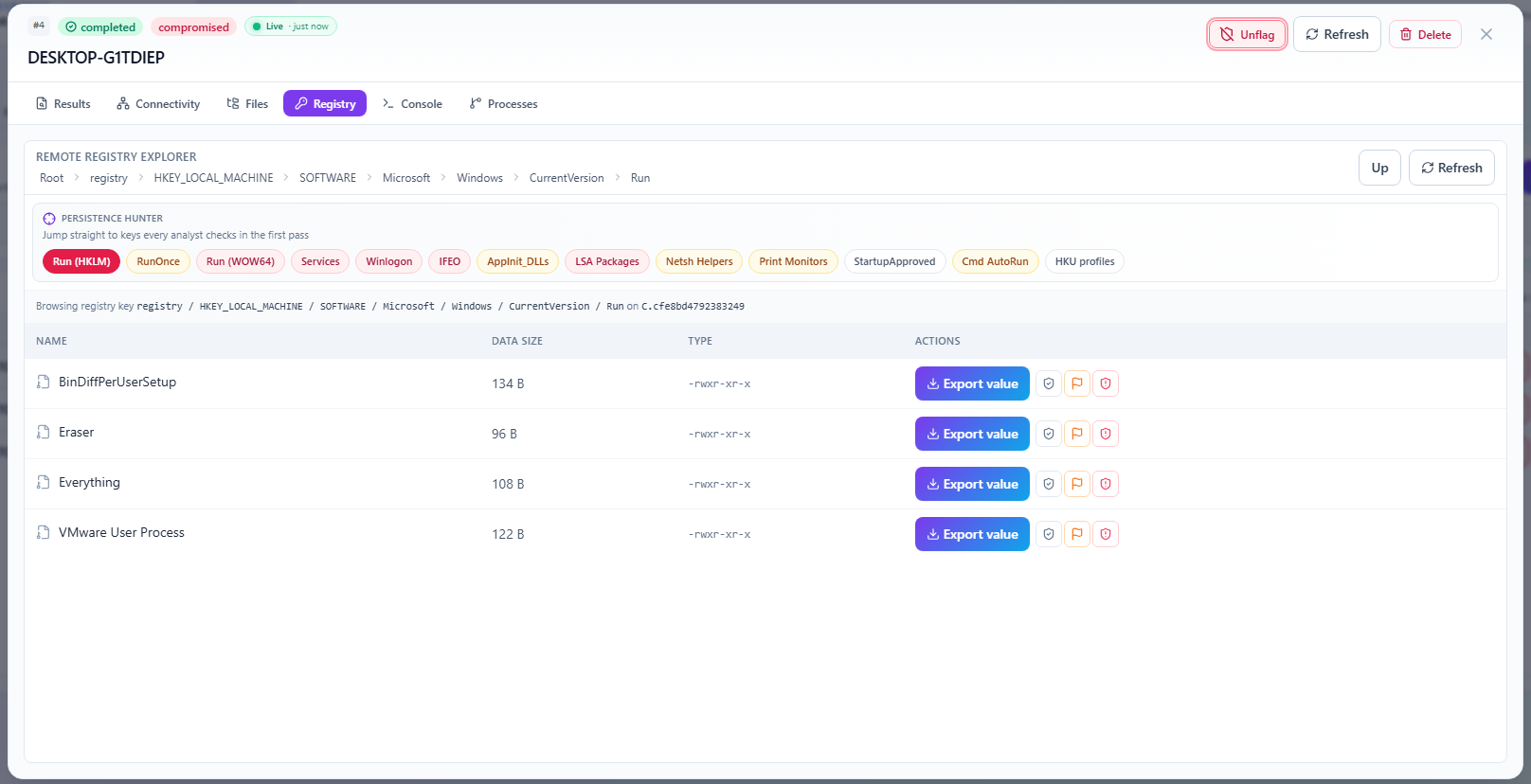
Batch collections are nice but sometimes you just need to poke the host live. So I also wired up:
- Remote file browser + download
- Remote registry explorer
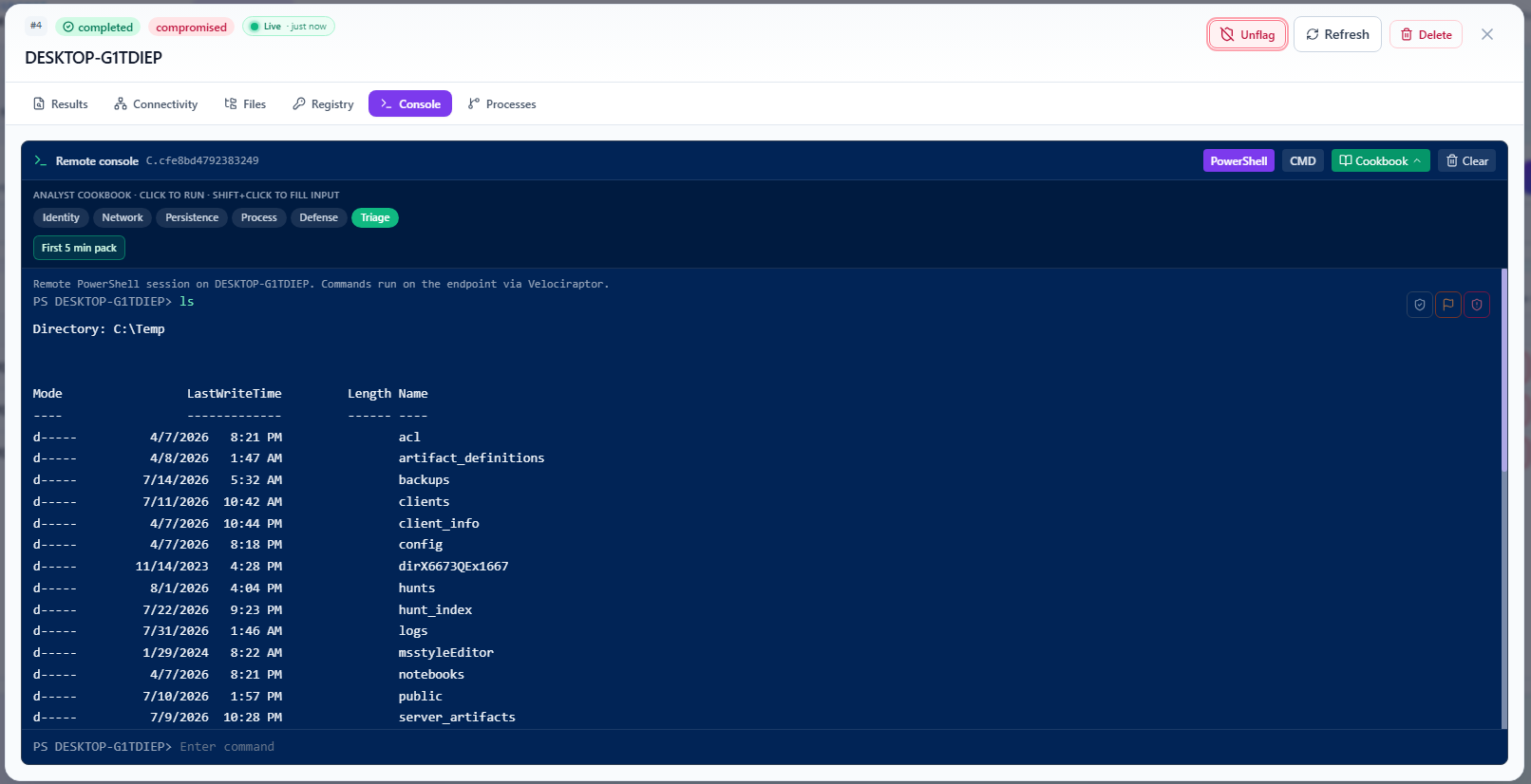
- Remote shell
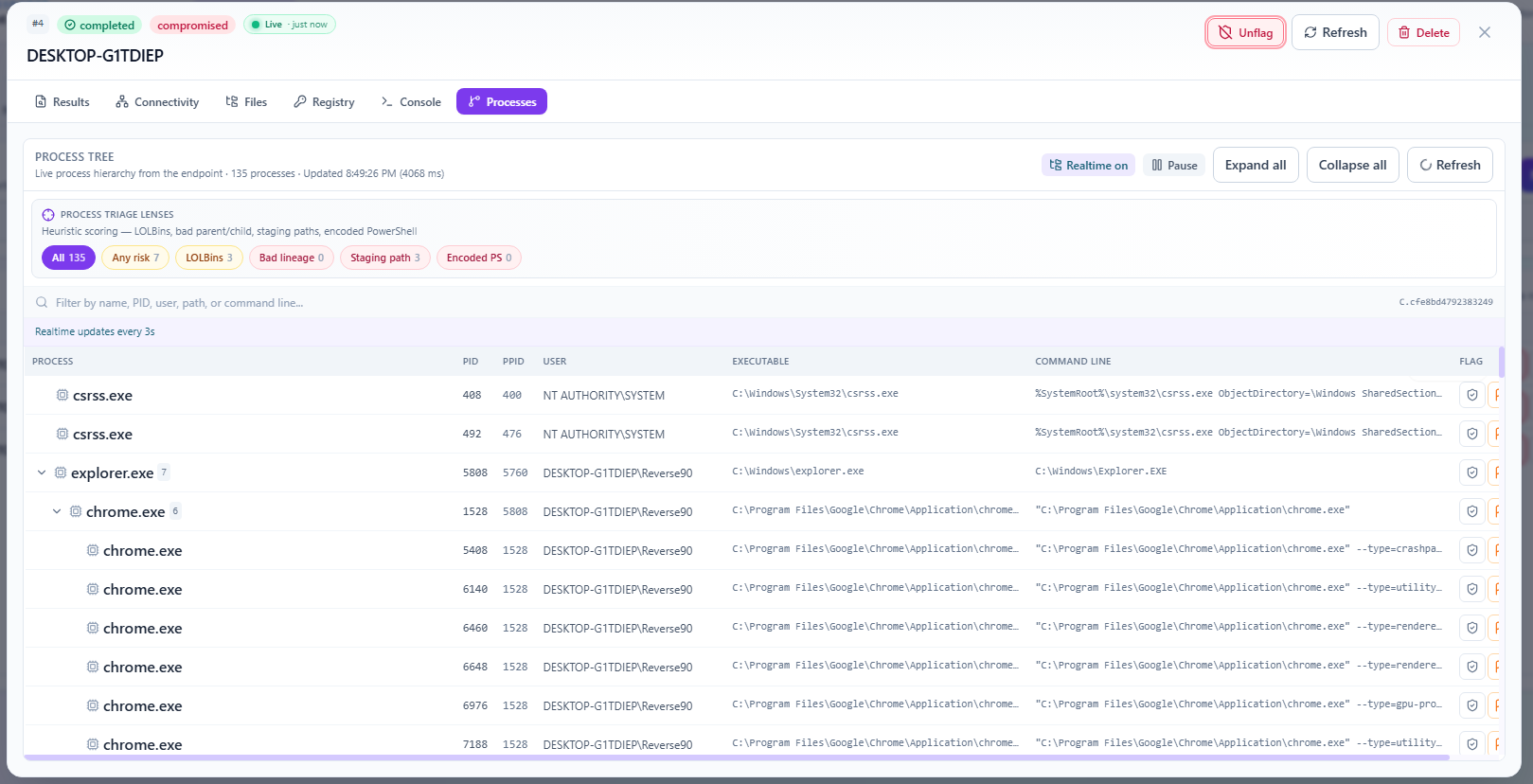
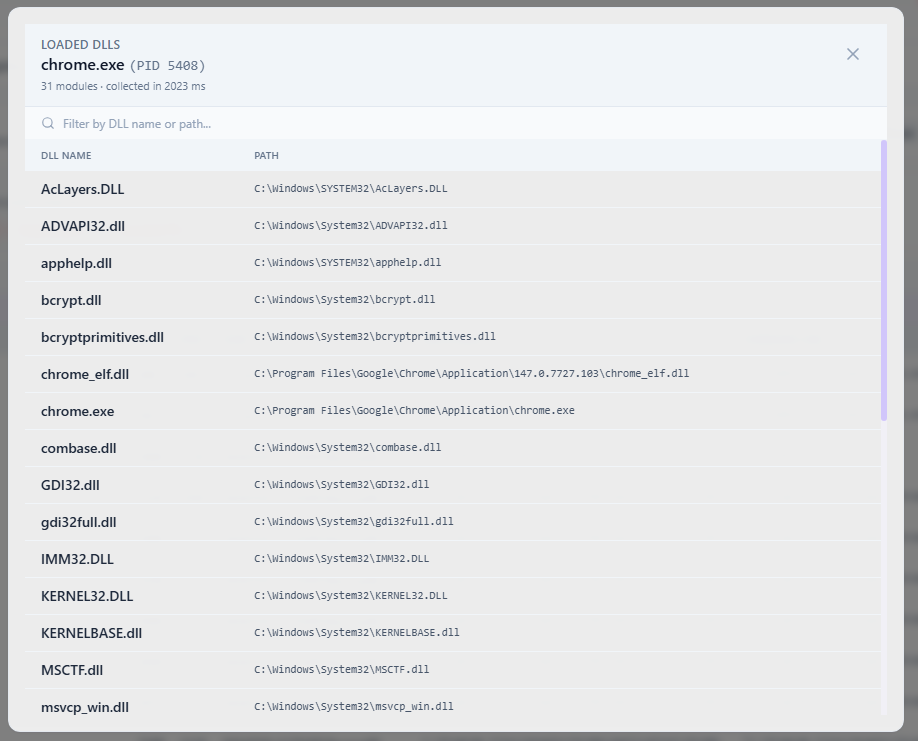
- Live process tree + modules
See something weird in findings → jump into the host → don’t leave the case. That’s the whole point.

Findings review
Artifact rows become findings you actually work. Tag them new / reviewed / benign / suspicious / bad. Assign analysts. Flag stuff. Promote to IOCs (one or bulk). Live findings from remote tools show up here too.
There’s also a global Findings Review page across all cases if you want the big picture.

IOCs, sweeps & blast radius
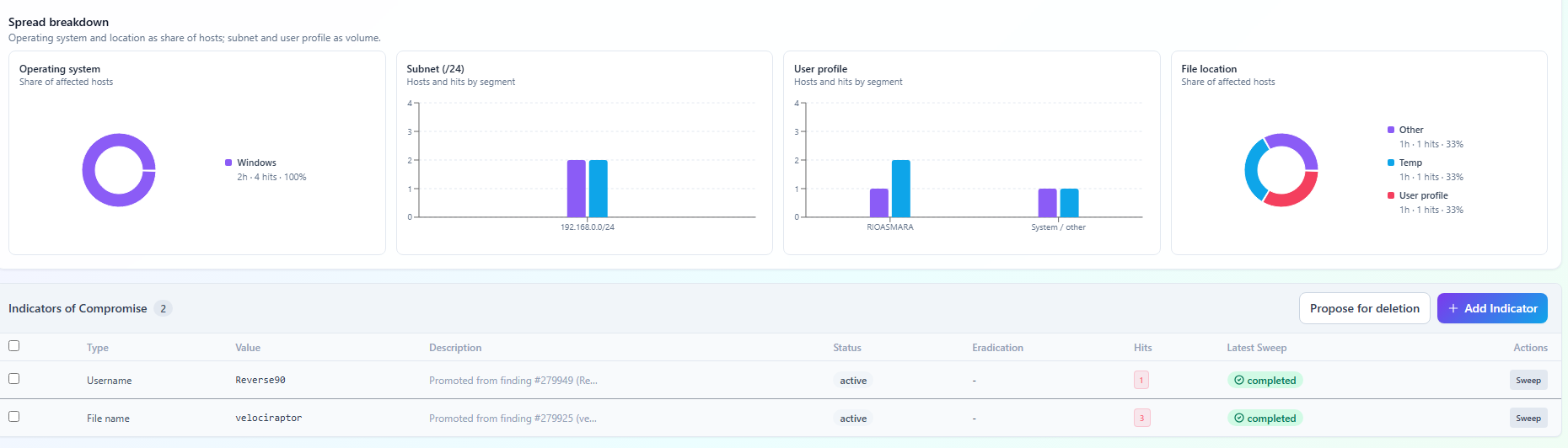
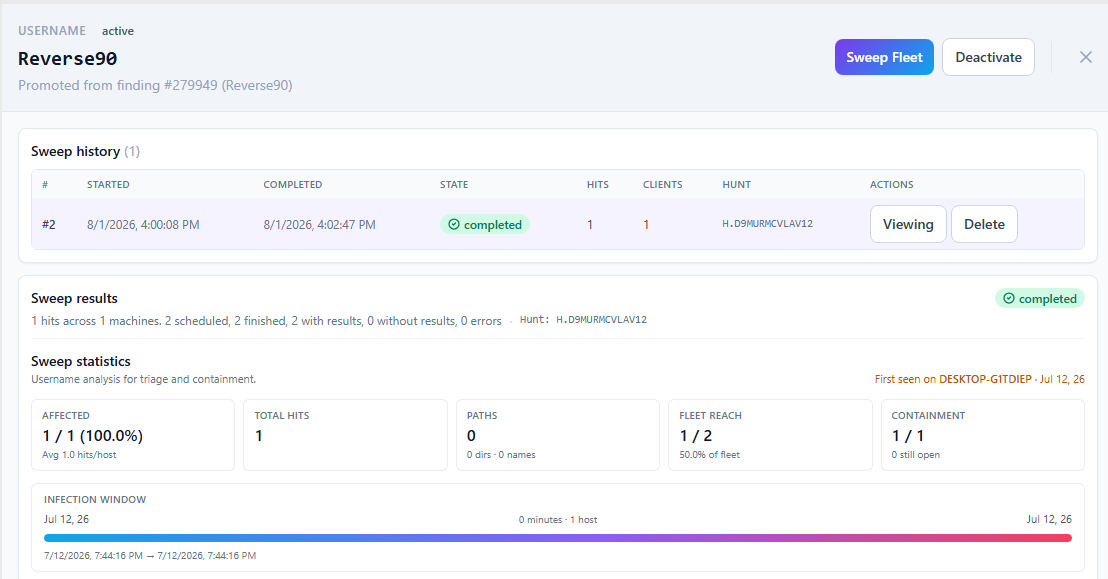
IOCs aren’t a notepad anymore. Hashes, file paths, IPs, domains, registry keys, usernames, patterns — all real objects in the app. Pull indicators from findings, derive patterns, launch Velociraptor hunts, browse hits, mark hosts compromised, add them as endpoints.
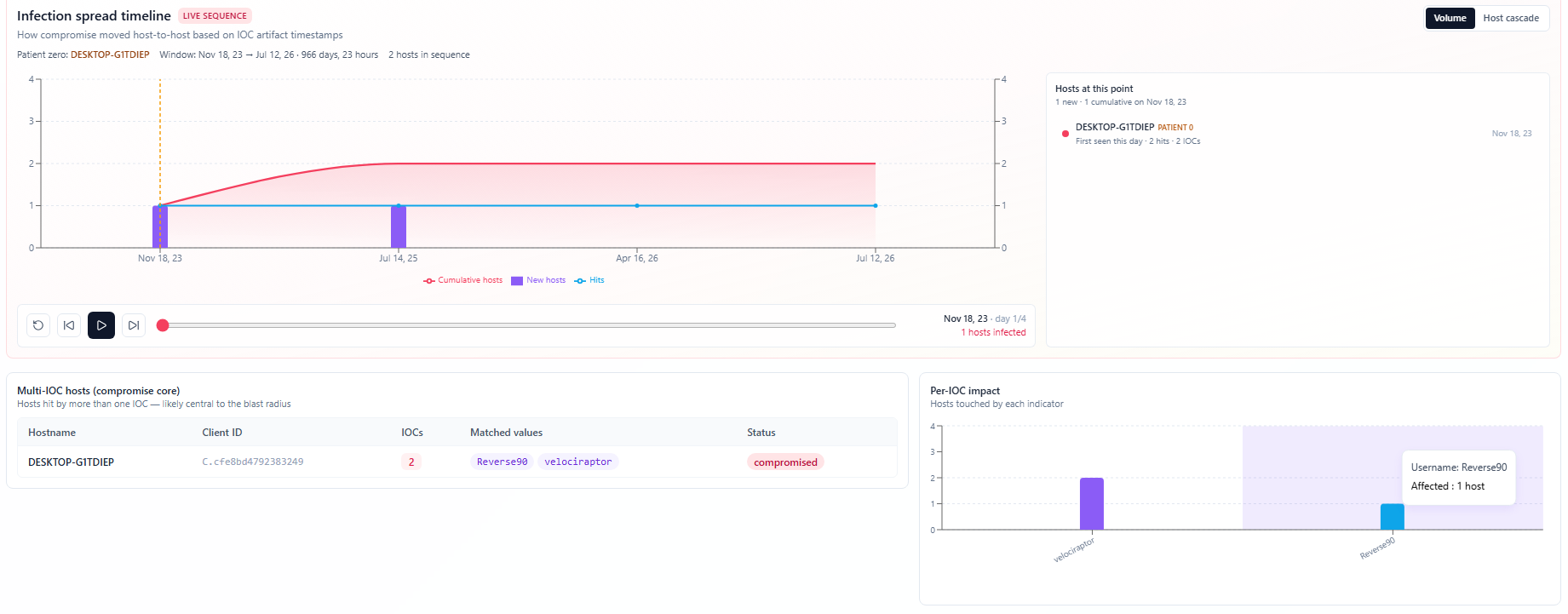
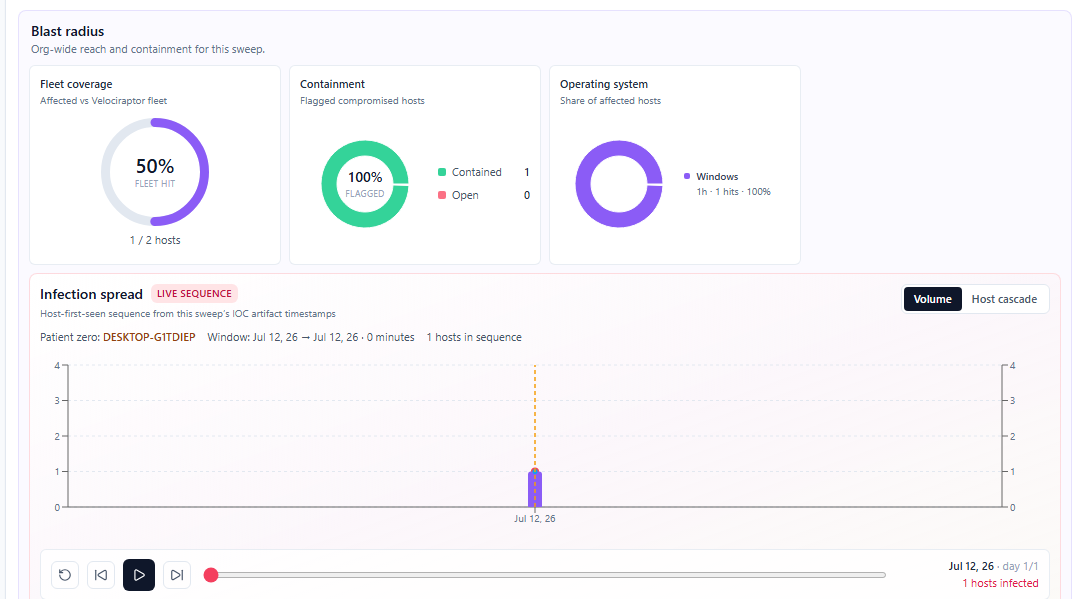
Blast radius view = “how many hosts hit vs how big is the fleet?” Good for when leadership pings you.
For eradication on hash/file IOCs — you have to type DELETE to confirm. I don’t want anyone nuking stuff at 2am from a misclick.


Containment & recovery
Isolate / de-isolate via Velociraptor quarantine (Windows + Linux) or track manual isolation. Shows if a host is already isolated under another incident — that one burned me before.
Then eradicate, restore, verify. Recovery isn’t “we think it’s fine.”


Team & roles
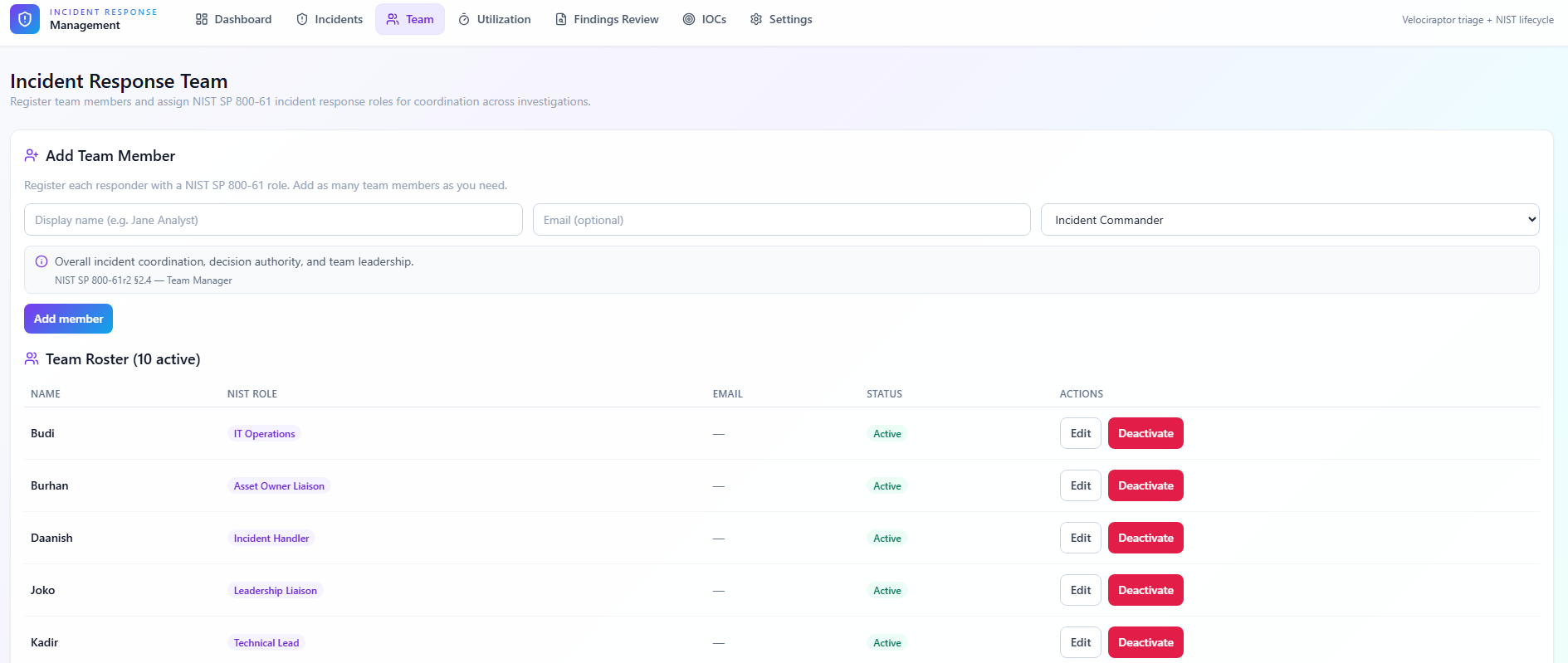
Register people, assign NIST roles — Incident Commander, Technical Lead, Forensics Analyst, Legal, all that. Not because I love bureaucracy. Because “who owns this?” needs a clear answer when things get messy.
Every case also has an activity log. Duty check-ins, task changes, collections, isolation, finding flags, IOC promotions. When someone asks “what did we do last night?” — receipts.

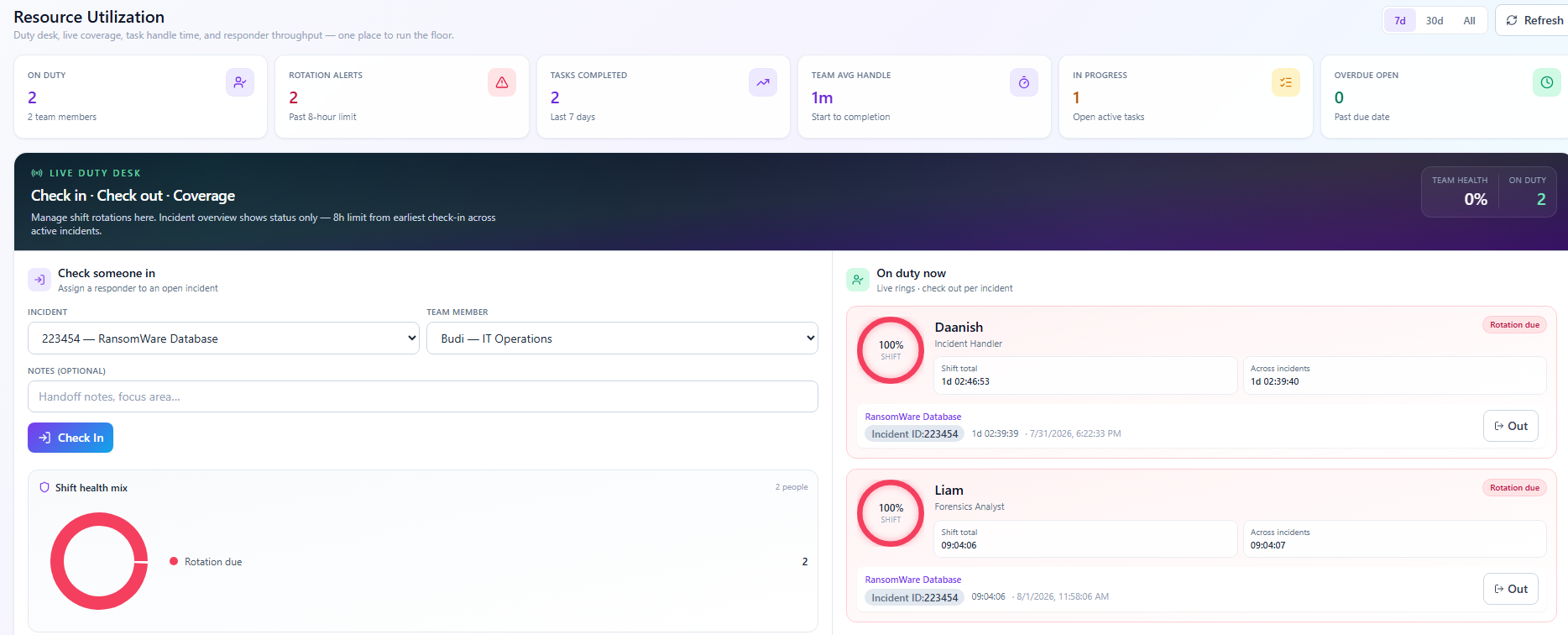
Duty desk
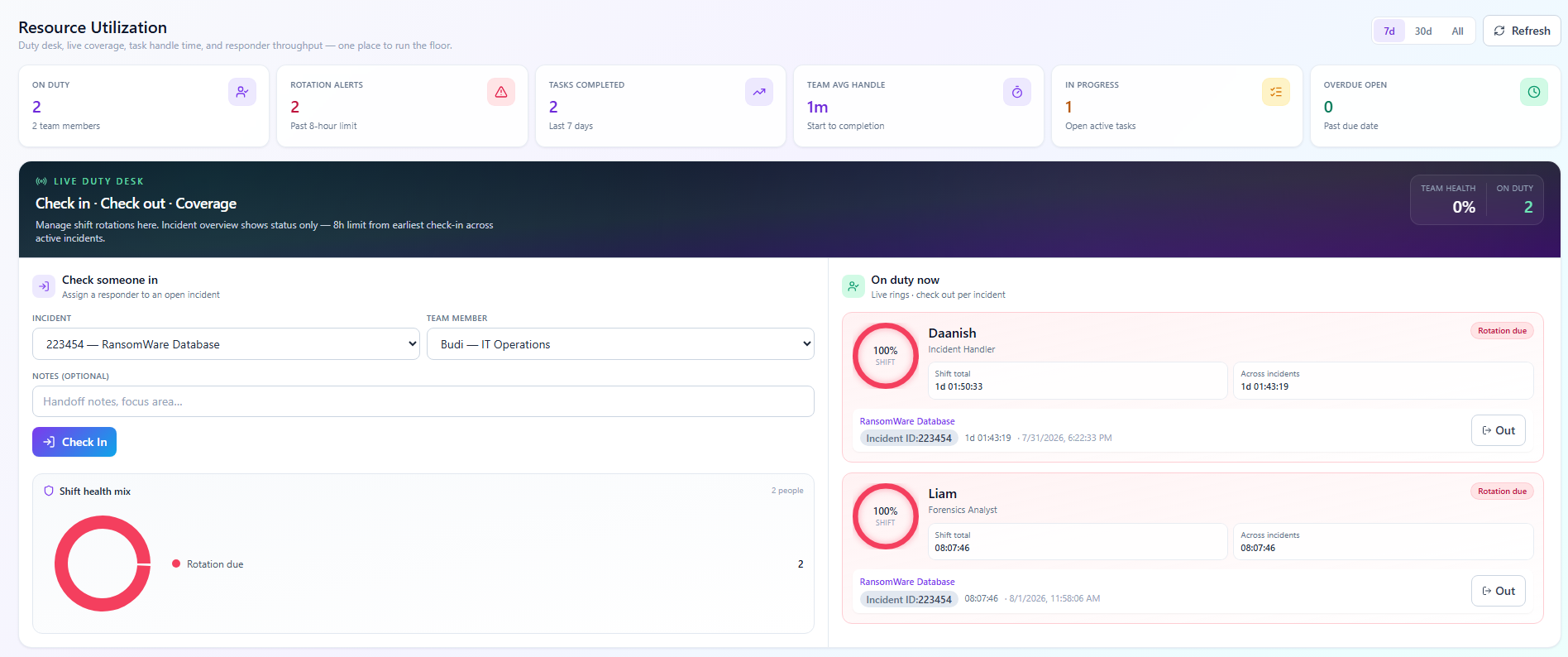
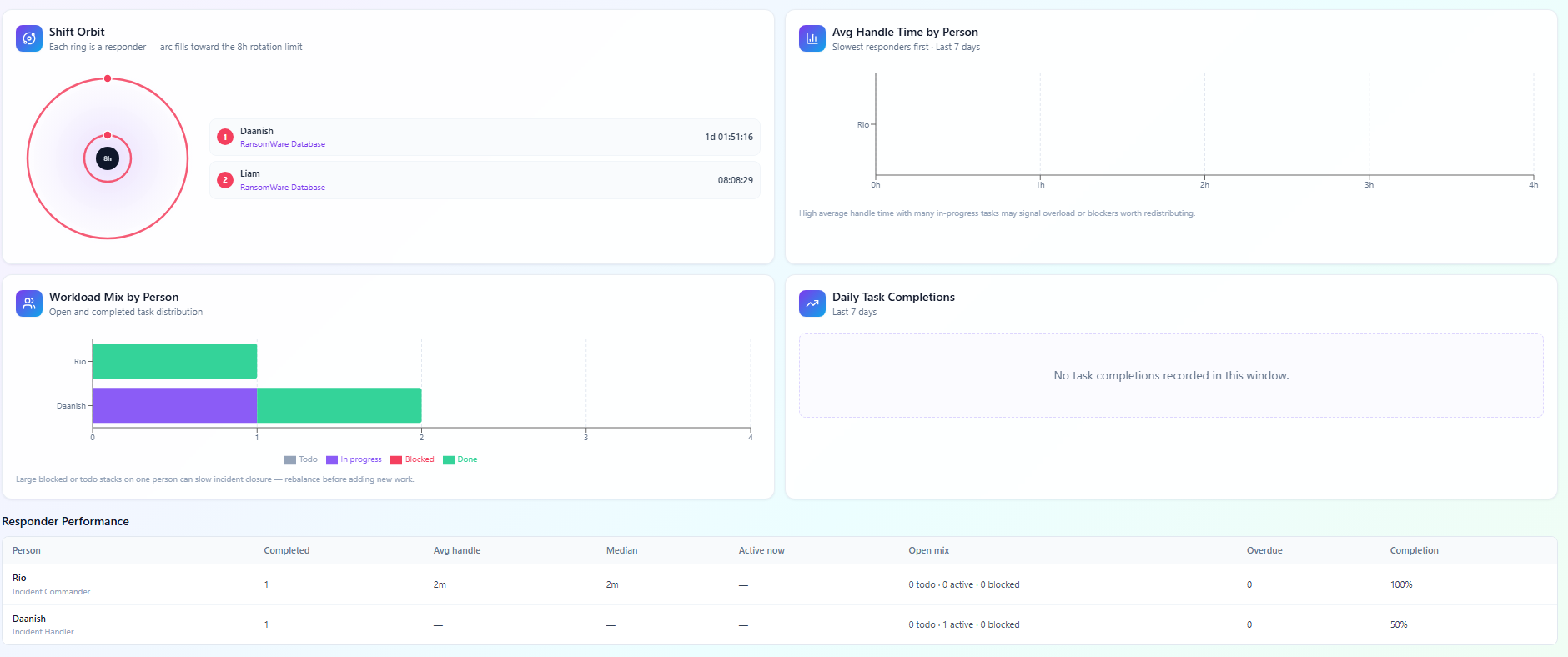
IR burns people out. So there’s a duty/utilization side — who’s on, who’s overloaded, 8-hour shift alerts, handle time charts. Not HR software. Just “don’t let one person carry the whole incident until sunrise.”


Settings
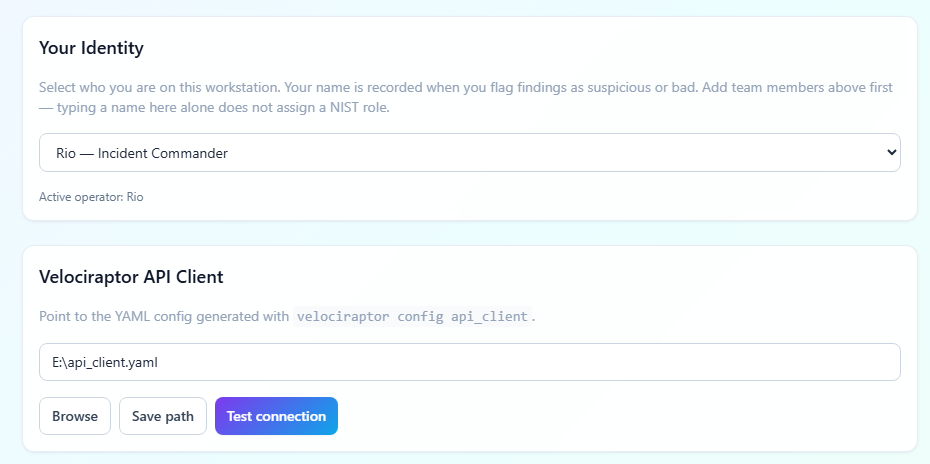
Point it at Postgres, point it at your Velo API client YAML, test both, set your analyst name, import a case JSON if someone hands you one. Config lives under %APPDATA%\IncidentManagement\database.json or use env vars like DATABASE_URL.

How I’d use it on a real case
- Prep — Postgres + Velo configured, team registered
- Open case — create incident, start investigation, tasks seed automatically
- Analyze — add endpoints, run triage, review findings
- Hunt — promote IOCs, sweep fleet, check blast radius
- Contain — isolate the bad ones
- Clean up — eradicate, restore, verify
- Close or hand off — export JSON, write post-incident notes
That’s pretty much it. I built this because I wanted NIST to be something I can run, not something I print and ignore. Velociraptor does the endpoint work. Postgres keeps the case. The app is the glue.

