I would like to share a basic tutorial on reverse engineering related to Windows API calls. This tutorial will involve reviewing a substantial amount of assembly code during the analysis of malware.
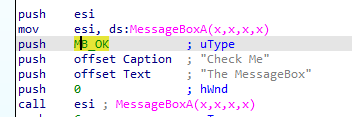
The following assembly code demonstrates how to call a messagebox with different button types.

We have observed that IDA has successfully detected the API call based on the signature. However, it fails to map the uType to the corresponding string, making it less user-friendly for analysts to interpret.
MessageBox API
Based on the Microsoft documentation available at the following URL: https://learn.microsoft.com/en-us/windows/win32/api/winuser/nf-winuser-messagebox

uType
The contents and behavior of the dialog box. This parameter can be a combination of flags from the following groups of flags.

The provided assembly code would benefit from improved readability to facilitate a quick understanding of the expected button type for the messagebox.

Configure IDA
In this case lets make IDA understand the ENUM required for the MessageBox. The first thing to do is to press Shift+F10 or go to Enum window

The next step is to press insert buttom to create the ENUM, Select the “Add standard enum by symbol name“
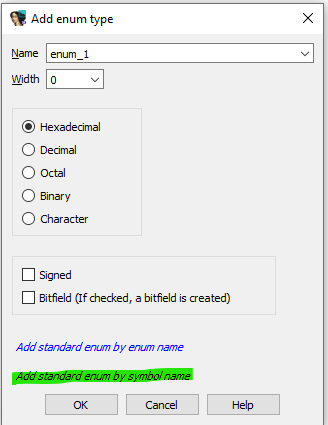
Once you selected the highligted, then a new windows will be popped up like below

You can type one of the ENUM that you found from the microsoft website such as MB_OK

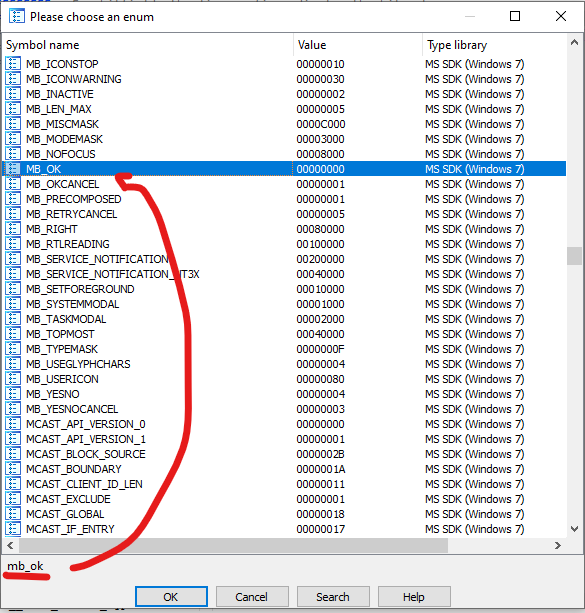
Click button OK to add the ENUM. IDA will generate the list of the enum based on your selection

Fixing the ENUM on the assembly code
You need to select the uType and press “m” key to pop up the potential ENUM
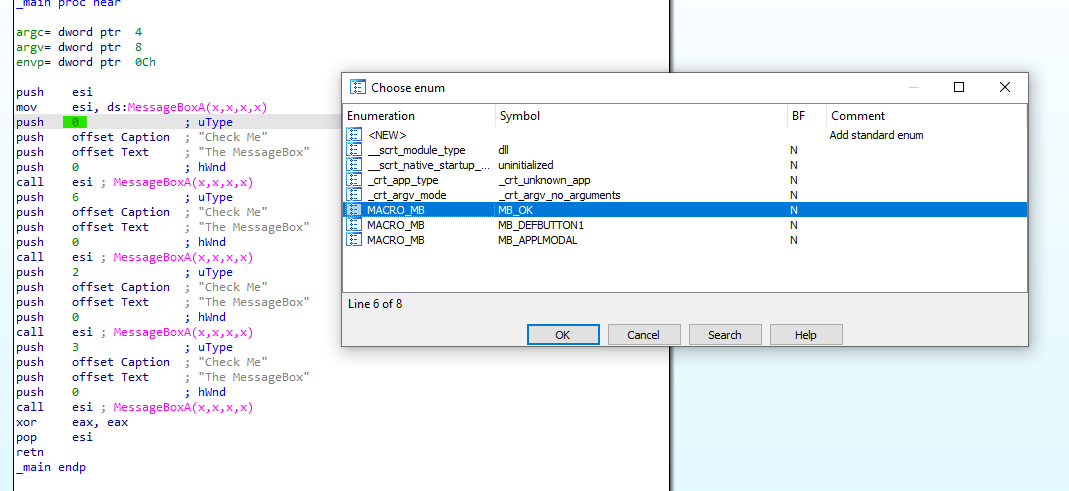
You are required to choose the appropriate enum according to the Windows API call documentation. In this situation, the goal is to select the MB_OK symbol from the MACRO_MB. The ENUM should be updated to MB_OK, as shown in the code below:

We can proceed with the next API call. A comparison between the C code and the Assembly code reveals that understanding the Assembly code itself becomes much easier by simply providing the ENUM text.

 Cyber Security Architect | Red/Blue Teaming | Exploit/Malware Analysis