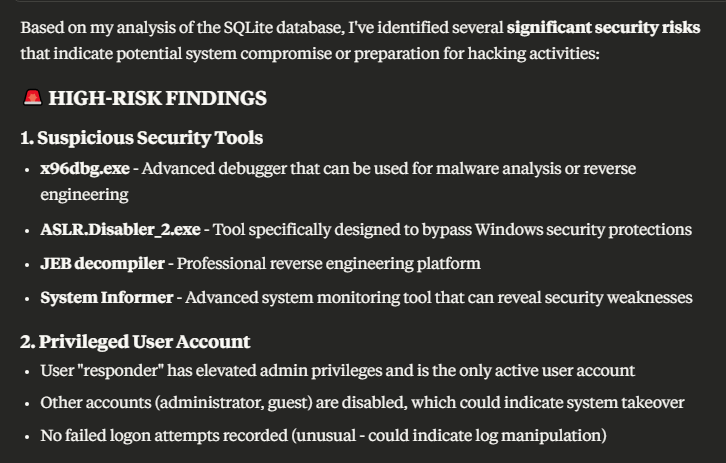
Modern cybersecurity incidents generate massive amounts of forensic data that can overwhelm incident response teams. By integrating CyberTriage’s automated analysis capabilities with Claude AI through the Model Context Protocol (MCP) server, security professionals can transform raw forensic data into actionable intelligence in natural language.
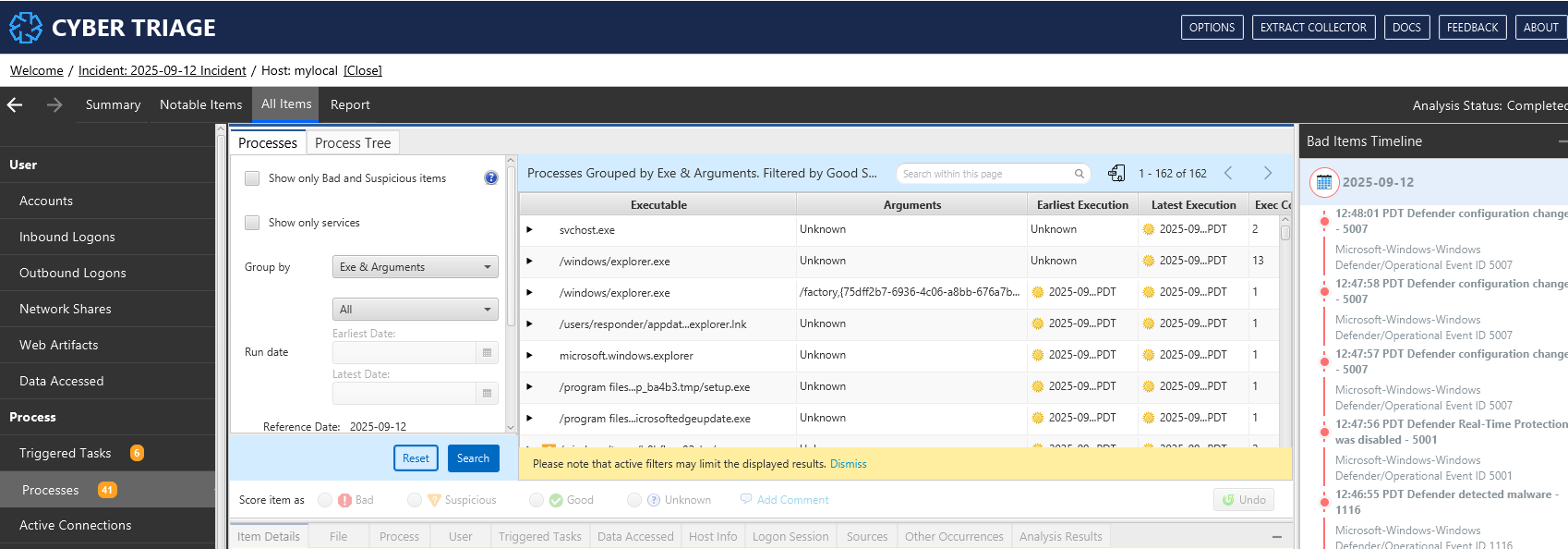
CyberTriage: Faster Threat Analysis for Incident Response Teams
CyberTriage is an automated digital forensics platform that accelerates incident response by automatically collecting forensic artifacts, integrating threat intelligence, and creating risk-scored timelines. The tool eliminates manual analysis work and helps teams focus on the most critical threats during security incidents.
AI-Powered Big Data Analysis in Human Language
Modern cyber incidents can generate gigabytes of forensic data – hundreds of thousands of file entries, network logs, and system events. This data deluge creates analysis paralysis where critical evidence may be missed.
AI transforms this challenge by processing vast datasets and presenting findings in clear, human-readable language. Claude AI can analyze text-based artifacts like log files and registry entries, extract meaningful insights, and identify suspicious patterns that human analysts might miss. The AI provides contextual analysis, understanding relationships between evidence pieces and generating detailed reports with actionable recommendations.
Claude AI Integration with CyberTriage via MCP SQLite Server
The Model Context Protocol enables Claude AI to connect with CyberTriage’s SQLite databases, allowing natural language queries of forensic data. The MCP SQLite server provides database interaction and business intelligence capabilities, enabling SQL queries and automated analysis.

Installation and Configuration
Based on the official implementation, here’s how to set up the integration:
Prerequisites
- Python 3.8+
- Access to CyberTriage SQLite database files
- Claude Desktop application
Step 1: Install MCP SQLite Server
For quick installation using uvx (recommended):
uvx mcp-server-sqlite
Alternatively, install via pip:
pip install mcp-server-sqlite
Step 2: Configure Claude Desktop
CyberTriage stores incident databases at:C:\Users\[username]\AppData\Local\cybertriage\databases\4.0\incidents\[incident_number]\[incident_number].ind
The SQLite database file is named [incident_number].ind where the incident number follows the format 2025-09-12incident.
For example: C:\Users[username]\AppData\Local\cybertriage\databases\4.0\incidents[incident_number][incident_number].ind
Add the following configuration to your claude_desktop_config.json file:
{
  "mcpServers": {
    "sqlite": {
      "command": "uvx",
      "args": [
        "mcp-server-sqlite",
        "--db-path",
        "C:\\Users\\responder\\AppData\\Local\\cybertriage\\databases\\4.0\\incidents\\_2025-09-12_incident_1757706113886\\_2025-09-12_incident.ind"
      ]
    }
  }
}
Step 3: Verify Installation
Restart Claude Desktop and test the connection by asking:
- “What tables are available in the CyberTriage database?”
- “Show me high-risk artifacts from the investigation”
- “Generate a timeline of suspicious network activity”

The server provides automatic business insights through a continuously updated memo that aggregates discoveries during analysis.

Using the Integration
Once configured, investigators can query CyberTriage data using natural language:
- “What malware indicators were detected in the last 24 hours?”
- “Show me all lateral movement evidence”
- “Summarize the attack timeline and affected systems”
- “Which artifacts have the highest risk scores?”
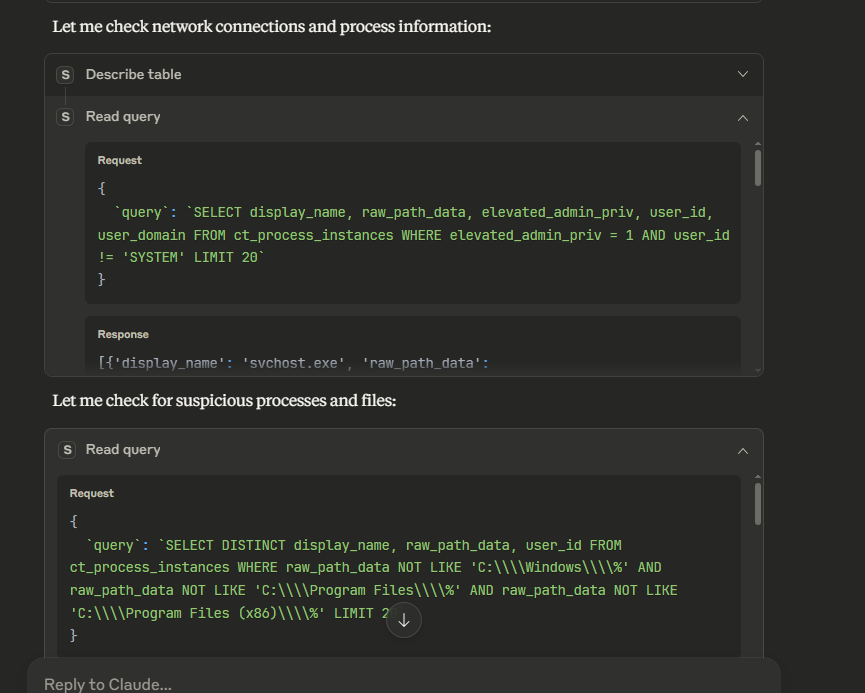
Claude translates these requests into SQL queries, executes them against the CyberTriage database, and presents results in an easily digestible format.
Conclusion
The integration of CyberTriage with Claude AI via MCP server represents a significant advancement in automated incident response. This combination addresses the core challenge of analyzing massive forensic datasets quickly and accurately.
Key benefits include:
- Accelerated Analysis: Reducing hours of manual work to minutes of AI-powered investigation
- Enhanced Pattern Recognition: Identifying subtle attack indicators across large datasets
- Improved Decision Making: Converting complex forensic data into clear, actionable intelligence
- Scalable Operations: Handling multiple investigations simultaneously without proportional staffing increases
As cyber threats continue to evolve, this integration provides incident response teams with a competitive advantage, transforming CyberTriage’s pre-analyzed and pre-correlated forensic data into actionable intelligence that enables faster containment and stronger security posture. By combining CyberTriage’s powerful automated analysis features with the ability to query complex structured data using natural language, we’re witnessing a paradigm shift in digital forensics. The natural language interface democratizes advanced forensic analysis, allowing teams to focus on strategic response rather than manual data processing.
 Cyber Security Architect | Red/Blue Teaming | Exploit/Malware Analysis