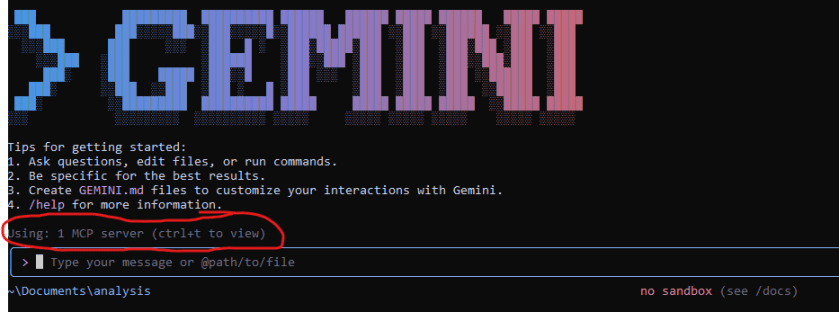
Reverse engineering and malware analysis have traditionally been highly manual and time-consuming endeavors, demanding deep expertise and painstaking attention to detail. However, the advent of powerful AI models is set to revolutionize this field. By integrating Large Language Models (LLMs) like Google’s Gemini with leading reverse engineering tools like Binary Ninja, analysts can automate complex tasks, gain insights faster, and significantly improve their workflow.
This post will guide you through integrating Binary Ninja with the Gemini CLI using the MCP (Main Control Program) server from the Binja Lattice MCP project.
1. How AI is Elevating Malware Analysis
The application of AI in malware analysis is a game-changer. LLMs can be trained on vast datasets of code, documentation, and vulnerability reports, enabling them to assist reverse engineers in numerous ways:
- Automated Code Summarization: Instantly generate high-level, human-readable summaries of complex functions or entire binaries. This helps analysts quickly grasp the purpose of a piece of code without manually tracing every instruction.
- Deobfuscation and Simplification: AI can recognize common obfuscation patterns and suggest simplified or deobfuscated code, making it easier to understand the malware’s true logic.
- Vulnerability Detection: By analyzing code for known patterns associated with vulnerabilities (like buffer overflows or format string bugs), AI can flag potential security flaws that a human analyst might miss.
- Natural Language Queries: Instead of writing complex scripts, analysts can ask questions in plain English, such as “What does this function do?” or “Where does this program write data to the network?”
By offloading these cognitive burdens to an AI assistant, reverse engineers can focus on the most critical aspects of their analysis, such as understanding the attacker’s intent and capabilities.
2. Understanding the Core Components: MCP and the API Server
The magic behind this integration lies in the Binja Lattice MCP project. This open-source tool acts as a bridge, allowing different plugins and external tools to communicate with Binary Ninja seamlessly.
You can find the project on GitHub: https://github.com/Invoke-RE/binja-lattice-mcp
It consists of two main parts:
- MCP (Main Control Program) Server: This is the central hub. It’s a Binary Ninja plugin that runs a WebSocket server directly within the Binary Ninja client. Other plugins and tools connect to this server to send commands and receive data from the Binary Ninja core.
- API Server: This is a separate Python server that exposes a RESTful API. It acts as an intermediary, translating standard HTTP requests from tools (like our Gemini CLI script) into commands that the MCP server can understand. This decouples your external scripts from the Binary Ninja client, allowing for a more flexible and robust setup.
3. Step-by-Step Guide: Installing and Configuring the Integration
Let’s get our hands dirty and set up the entire pipeline.
Prerequisites:
- Binary Ninja installed.
- Python 3.6+ installed.
- Git installed.
- Access to the Gemini API and a configured Gemini CLI.
Step 1: Clone the binja-lattice-mcp Repository
This repository contains both the API server and the Binary Ninja plugin we need. Open your terminal and run:
git clone [https://github.com/Invoke-RE/binja-lattice-mcp.git](https://github.com/Invoke-RE/binja-lattice-mcp.git)
cd binja-lattice-mcp
Step 2: Install the MCP Plugin in Binary Ninja
This process involves manually copying the plugin file into Binary Ninja’s plugin directory.
- Find your Binary Ninja plugin directory. The easiest way is to open Binary Ninja and go to Tools -> Open Plugin Folder.
- Navigate to the plugin folder inside the binja-lattice-mcp directory you just cloned.
- Copy the lattice_server_plugin.py file from binja-lattice-mcp/plugin/ to the Binary Ninja plugin directory you opened in the first step.
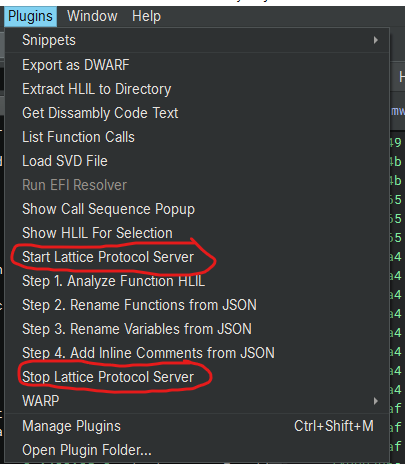
- Restart Binary Ninja to ensure the plugin is loaded. You should see a new “MCP” menu in the top bar.
Step 3: Install Python Dependencies
The API server has its own set of Python dependencies. It’s highly recommended to use a virtual environment to avoid conflicts. Inside the binja-lattice-mcp directory, run the following commands:
# Install the required libraries
pip install -r requirements.txt
Step 4: Configure Gemini-CLI
- Start your Lattice Protocol Server by selecting Start Lattice Protcol Server from the Plugin Menu in the Binary Ninja
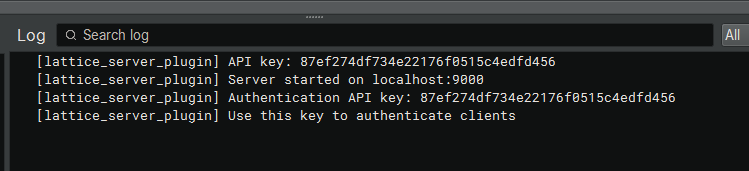
2. Create or Edit the file in your home directory .gemini\settings.json. The value of BNJLAT
come from the Authentication API Key when you started the Lattice
{
  "mcpServers": {
    "binja-lattice-mcp": {
      "command": "C:\\Program Files\\Python313\\python.exe",
      "args": [
        "C:\\mcp\\binja-lattice-mcp-main\\mcp_server.py"
      ],
      "env": {
        "BNJLAT": "87ef274df734e22176f0515c4edfd456"
      }
    }
  },
  "selectedAuthType": "oauth-personal"
}
3. Run Gemini CLI, You will find that Gemini CLI is using one MCP server which when you pressed CTRL+T then it will list the API that it can use
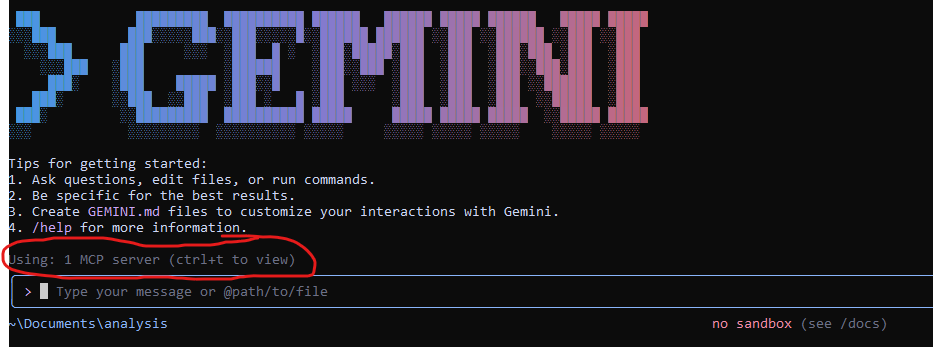
List of the API provided by the MCP

Sample Prompt to get the IOC
Once the Gemini authentication is complete, it will await your prompt. I have formulated the prompt as outlined below to initiate the analysis through the MCP server. Please select “always allow” to prevent the system from prompting you each time it utilizes the API.

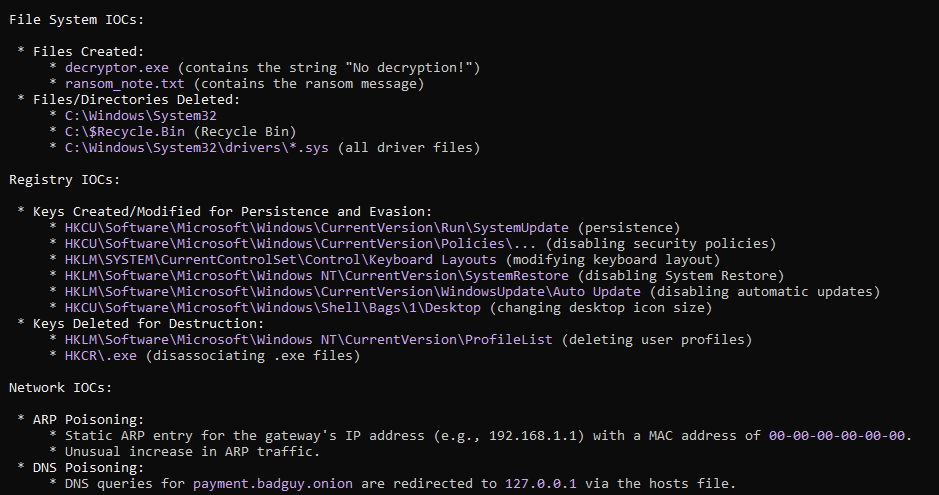
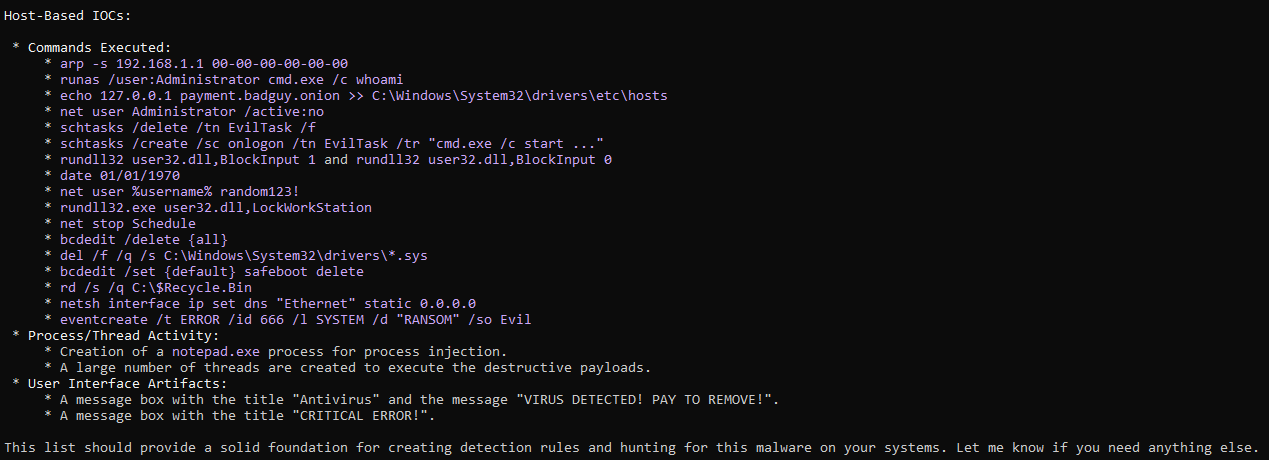
The analysis result from done by the Gemini as shown below
Conclusion
The integration of AI tools like Gemini into reverse engineering workflows via platforms like MCP represents a monumental leap forward for malware analysis. It empowers analysts by automating routine tasks, providing instant insights, and allowing them to tackle more complex challenges. While AI is not a replacement for human expertise, it is an incredibly powerful force multiplier.
As LLMs become more advanced and integrations become more seamless, we can expect to see even more sophisticated applications, from predicting malware behavior to automatically generating full analysis reports. The future of reverse engineering is collaborative—a partnership between human ingenuity and artificial intelligence.
 Cyber Security Architect | Red/Blue Teaming | Exploit/Malware Analysis