
As the incident responder, evaluating a security breach can be a stimulating task. It requires the ability to connect various pieces of information in order to gain insight into how adversaries compromised a system.
The tools employed for artifact analysis play a pivotal role in enabling the assessment process. With the potential presence of numerous event logs on a single host, dispersed across multiple locations, the selection of suitable tools is vital for maximizing the assessment process’s efficiency.
I have formulated a scenario involving the breach of a host, in which the attacker proceeds laterally from the original machine. The perpetrators utilize the psexec tool to seize control of the subsequent target. After compromising the new host, they install a persisting backdoor using staykit.
Move using PSEXEC
I am using jump psexec64 function provided by the CobaltStrike. PSexec created temporary file for the service \\wkstn-1\ADMIN$\82f4179.exe

I have utilized CyberTriage to examine the endpoint. The artifact has been gathered using its standard procedure and the data has been imported into the platform.
First, it is advisable to review the inbound login activity. According to the information provided in this section, two users have successfully logged in via the network.

Two users have successfully logged in via network logons. However, in this instance, it is unclear which one was utilized by the adversaries to move laterally. The two users in question are “nlamb” and “jking.”

Upon analyzing the situation, it is evident that there is a correlation with another artifact related to PSEXEC. It is known that PSEXEC copies a file into remote host ADMIN$ and initiates its execution as a task. The login time of DEV/jking aligns with the PSEXEC task time, indicating a match consistent with the behavior of PSEXEC.

In this case we can verify that the compromised user was dev/jking which used by the adversaries to compromise wkstn-1
Backdoor Persistence
The backdoor persistence is a way to maintain the C2 connection. To analyze this, You can go to Malware Section and Startup Items
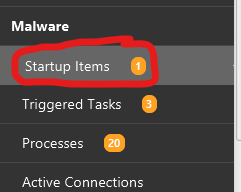
This is going to be alot of items in this section. however, CyberTriage suggest that there is one finding which potentially the backdoor that we want to assess. To expedite, I suggest to click on the Suspicious Items Only

CyberTriage provides an assessment explaining why this executable is flagged as suspicious: it is running from the temporary directory.

We acknowledge the various methods available for persisting a backdoor. One such method involves creating a registry entry on userinit to instruct the operating system to execute an application during the userinit process. To assist in this procedure, I utilize Staykit, as exemplified below.

To start the analysis, we can check the Registry Entry
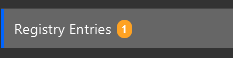
It has been identified by CyberTriage that a single registry key has been created, showing signs of potential suspicion.

If we correlate with the startup items then it is basically matching

Conclusion
We can conduct swift analyses when we are proficient with the tools at our disposal. It is advisable to engage in practical exercises involving potential attack scenarios and analyze them using your selected tools. This practice will facilitate a thorough understanding of how these tools can aid you.
 Cyber Security Architect | Red/Blue Teaming | Exploit/Malware Analysis