
In this article, I aim to discuss the process of installing a backdoor on a target system, focusing on various techniques that can be employed to maintain persistence for the backdoor.
In the context of your red teaming endeavors, it is crucial to ensure the persistence of your beacon even after the targeted host undergoes a restart..
Here are below some known techniques
- Elevated Registry Keys
- Elevated UserInit Registry Key
- Elevated Scheduled Task
- Elevated Create Service
- Elevated WMI Event Subscription
- Non-Elevated InitMprLogonScript Registry Key
- Non-Elevated Scheduled Task COM Handler Hijack
- Non-Elevated Junction Folder
- Misc Add Scheduled Task Action
- Misc Startup Directory
- Misc New LNK
- Misc Backdoor LNK
- Misc Task Names
- Misc List Scheduled Tasks
- Misc List Running Services
- Misc Get Scheduled Task COM Handlers
In instances where configuring a beacon promptly is not feasible, the availability of pre-built tools becomes crucial. Given that CobaltStrike lacks an inherent persistent function, I will leverage a convenient tool known as StayKit (https://github.com/0xthirteen/StayKit) to address this requirement.
The above module requires a dependency of sharp application https://github.com/0xthirteen/SharpStay. You need to compile from the source provided in the github
Select Release in order to remove the debugging information

Rebuild the solution to produce the binary
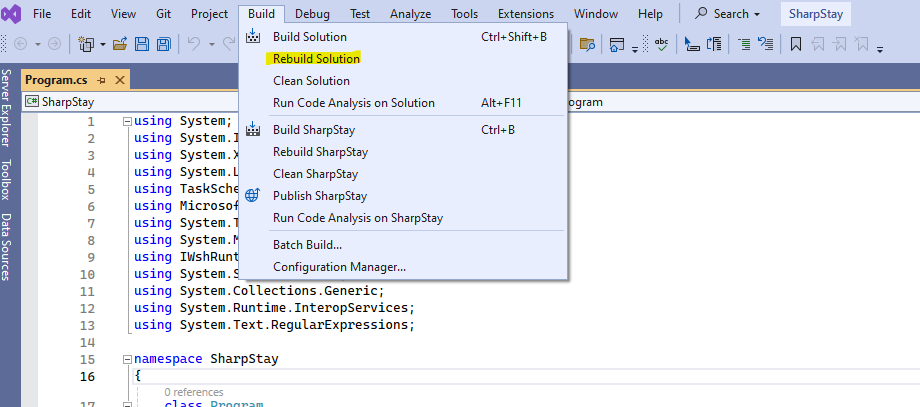
Once you download the Staykit from the github then you can copy the SharpStay.exe binary into the StayKit folder

Load the StayKit.cna into CobaltStrike

Press Load button in order to select the location of the StayKit.cna

Select the StayKit.cna

Make sure the status is ready
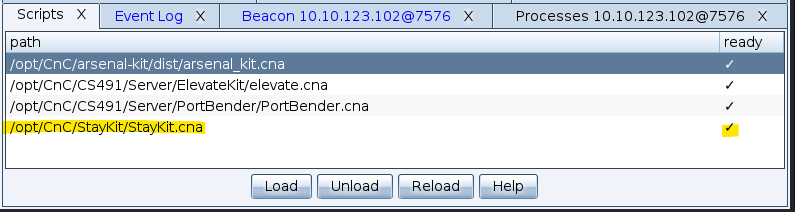
Lets use the StayKit
Once the beacon is connected then you can right click on the beacon and select Persistence

You might noticed that I have the privilege on the victime machine. I can select the Elevated mode to make the backdoor.
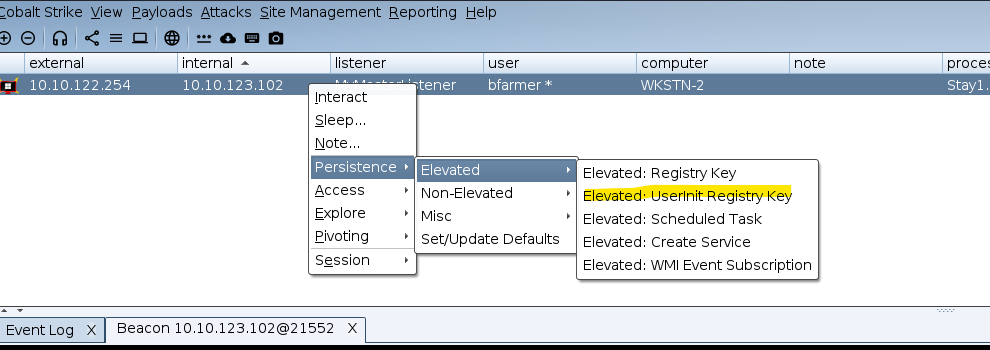
Lets try one of them. I selected the Elevated: Userinit Registry Key

What you need to fill up are the field above. Command is how you need to invoke the backdoor. Make sure it is within double quote. You need to select the beacon listener.

Once you run the command then you can see that in your beacon console

Once the above command is successfully done. Just for learning purpose that you can check on the victime machine

You can see that our beacon is copied to the victim machine under the C:\Windows\Temp

Also, We can see that the registry has been updated as well. So the backdoor will be triggere everytime any user login to the machine
 Cyber Security Architect | Red/Blue Teaming | Exploit/Malware Analysis